

Savings Smart Home Devices: Cut Bills, Protect Your Budget, and Spend Smarter

Savings smart home devices can help you reduce energy and water waste, spot problems early, and make your monthly bills more predictable when you choose the right tools for your home.
Contents
39 sections
-
How savings smart home devices actually save money
-
Start with a quick home savings audit (15 minutes)
-
Checklist: find the easiest wins first
-
Best categories of devices for saving (and when they make sense)
-
1) Smart thermostats
-
2) Smart plugs and smart power strips
-
3) Smart lighting
-
4) Water leak sensors and automatic shutoff valves
-
5) Smart irrigation controllers
-
6) Whole home energy monitors
-
Named options to compare (examples, not one size fits all)
-
What to compare before you buy: a practical decision matrix
-
Real-number examples: building a "smart savings" budget
-
Scenario 1: $300 starter plan for a renter
-
Scenario 2: $900 plan for a homeowner focused on HVAC and comfort
-
Scenario 3: $2,500 risk-reduction plan for a home with water damage concerns
-
Timeline decision rules: when to pay cash vs finance
-
Under 1 year
-
1 to 3 years
-
3 to 7 years
-
7+ years
-
Hidden costs and risks to plan for
-
Subscriptions and feature lock-in
-
Compatibility problems
-
Privacy and account security
-
Insurance and water damage prevention
-
How to estimate payback without fooling yourself
-
Payback worksheet
-
Ways to lower the upfront cost (without overpaying later)
-
Check rebates and local programs
-
Use a sinking fund for home upgrades
-
If you finance, compare total cost carefully
-
Quick buying checklist: pick devices you will actually use
-
Where to keep emergency cash while upgrading your home
-
Common questions
-
Do smart devices always lower bills?
-
Should I start with an energy monitor?
-
How do I avoid scams when shopping online?
-
How can I check my credit before financing a larger upgrade?
How savings smart home devices actually save money
Most smart devices do not “create” savings by themselves. They save money by changing behavior and reducing waste. The biggest drivers are:
- Heating and cooling optimization – better schedules, occupancy sensing, and remote adjustments.
- Stopping water damage – detecting leaks early can prevent costly repairs and insurance claims.
- Reducing standby power – cutting “always on” loads from entertainment centers, office gear, and chargers.
- Demand awareness – seeing real usage data can help you target the biggest offenders.
Before buying anything, pull your last 12 months of electric, gas, and water bills and note seasonal spikes. If your bills are mostly flat year round, your best wins may be plug loads and water. If you have big summer or winter spikes, start with HVAC controls and insulation basics.
Start with a quick home savings audit (15 minutes)
Checklist: find the easiest wins first
- Thermostat habits: Do you forget to change settings when you leave or sleep?
- HVAC runtime: Do you have large seasonal bill spikes?
- Water risk: Is your water heater old, or do you have a basement, crawlspace, or laundry on an upper floor?
- Plug load clusters: TV console, gaming setup, home office, kitchen counter appliances.
- Old lighting: Any remaining incandescent or halogen bulbs?
- Utility rates: Are you on time of use pricing or considering it?
Decision rule: if you can only do one category, prioritize the one tied to your biggest bill or biggest risk. For many households, that is HVAC or water damage prevention.
Best categories of devices for saving (and when they make sense)
1) Smart thermostats
Smart thermostats help most when your schedule changes, you travel, or you have rooms that are often empty. They can also help you avoid “overcooling” or “overheating” by making setpoints and schedules easier to manage.
What to look for:
- Compatibility with your HVAC system (especially heat pumps, multi stage systems, and older wiring).
- Remote sensors if your thermostat location is not representative of where you live.
- Clear scheduling and manual override controls.
- Energy reports that show runtime trends, not just pretty charts.
Common drawback: If you already keep a tight schedule and your home is well insulated, the incremental savings may be smaller. Comfort and convenience may be the bigger benefit.
2) Smart plugs and smart power strips
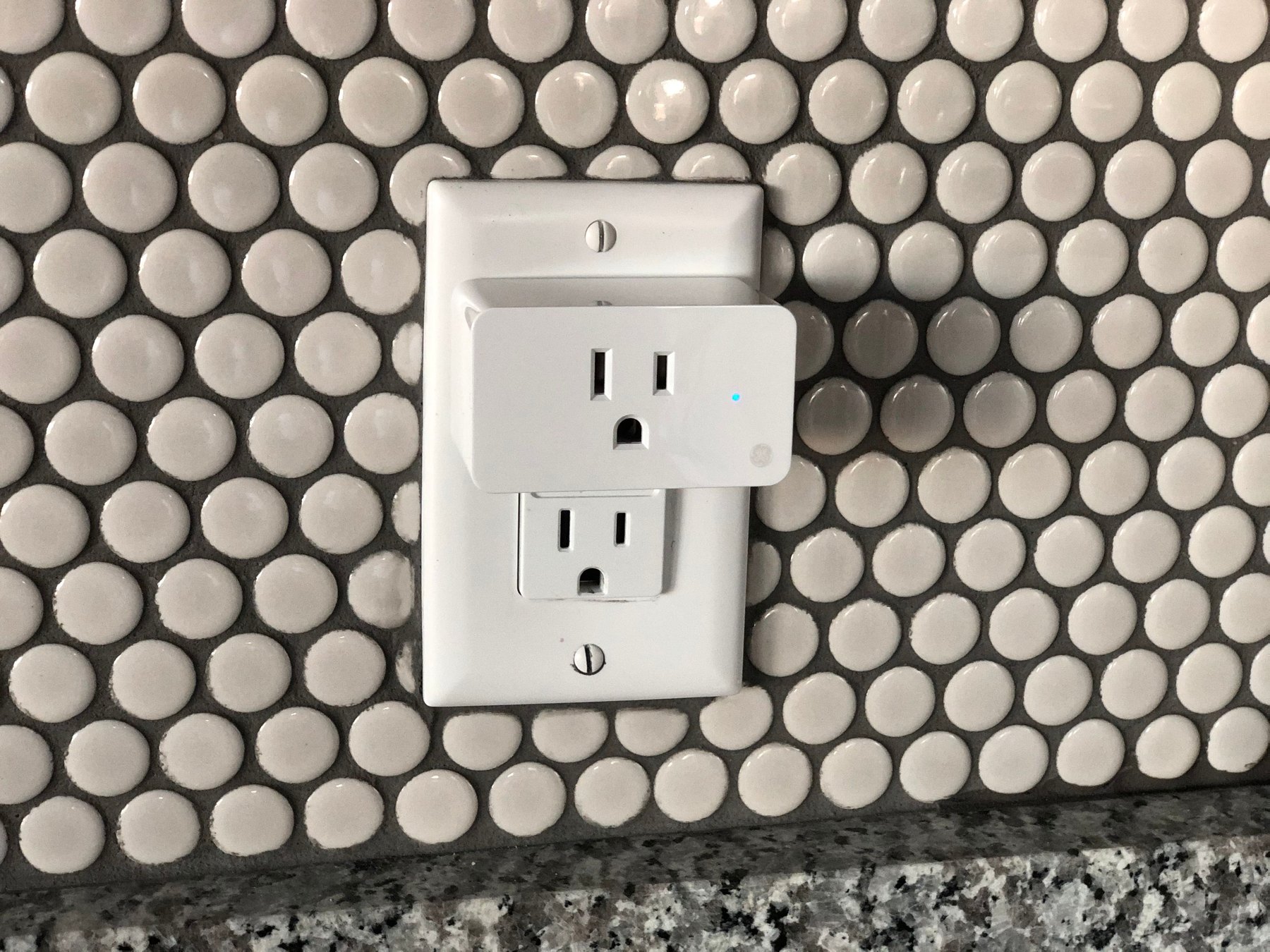
These are practical for cutting standby power and for setting routines like turning off an entertainment center overnight. They also help you measure usage of a specific device so you can decide whether it is worth replacing.
What to look for: energy monitoring, strong app controls, and a physical on off button. For strips, look for “controlled outlets” that shut off with a master device.
Common drawback: Not ideal for devices that must stay on (routers, medical devices, some refrigerators). Use them selectively.
3) Smart lighting
LED bulbs already cut energy use compared with older bulbs. Smart lighting adds scheduling, occupancy sensing, and dimming. The biggest savings usually come from switching to LED first, then adding smart controls where lights are often left on.
What to look for: reliable switches, occupancy sensors for hallways and bathrooms, and a plan for guests so they can still use the lights easily.
4) Water leak sensors and automatic shutoff valves
These devices are less about trimming a monthly bill and more about avoiding a large, unexpected expense. A small leak can become a major repair if it goes unnoticed.
What to look for:
- Sensor placement plan (water heater pan, under sinks, behind toilets, near washing machine).
- Phone alerts that are fast and loud enough to notice.
- For shutoff valves, professional installation requirements and compatibility with your plumbing.
Common drawback: Upfront cost and installation complexity for whole home shutoff valves.
5) Smart irrigation controllers
If you have a lawn or garden irrigation system, a smart controller can adjust watering based on weather and soil conditions. This can reduce overwatering and help you avoid high summer water bills.
What to look for: local weather integration, zone control, and easy seasonal adjustments.
6) Whole home energy monitors
These can help you identify which circuits or appliances drive your usage. They are most useful if you are motivated to act on the data, like changing habits, replacing an inefficient appliance, or shifting usage to cheaper hours.
Common drawback: If you do not plan to review the data and make changes, the monitor becomes a dashboard you stop checking.
Named options to compare (examples, not one size fits all)
Here are recognizable brands and product lines people commonly compare. Availability, features, and compatibility vary, so verify what works with your home and your preferred platform.
| Option | Best fit | What to compare | Main drawback |
|---|---|---|---|
| Google Nest Thermostat / Nest Learning Thermostat | HVAC scheduling and remote control | HVAC compatibility, sensor support, app usability | Some features depend on ecosystem and setup |
| ecobee Smart Thermostat (with room sensors) | Homes with hot and cold spots | Sensor performance, comfort settings, integrations | Higher upfront cost with sensors |
| Honeywell Home (Resideo) smart thermostats | Broad HVAC compatibility needs | Model specific wiring needs, scheduling controls | Feature set varies widely by model |
| TP-Link Kasa smart plugs and strips | Plug load control and simple routines | Energy monitoring availability, Wi-Fi reliability | Not ideal for critical always-on devices |
| Philips Hue lighting | Room by room lighting control | Hub needs, bulb cost, automation options | Can get expensive for whole-home coverage |
| Ring Alarm + sensors (and compatible smart plugs) | Security plus basic automation | Subscription features, device compatibility | Ongoing fees for some features |
| Moen Flo Smart Water Shutoff | Whole-home leak prevention focus | Installation requirements, alerts, shutoff rules | Upfront cost and install complexity |
| Rachio Smart Sprinkler Controller | Homes with irrigation systems | Zone support, weather data, app controls | Only useful if you already irrigate |
| Sense Home Energy Monitor | Households that want usage visibility | Installation, device detection accuracy | Data is only valuable if you act on it |
What to compare before you buy: a practical decision matrix
Use this table to avoid buying devices that do not match your home, your habits, or your budget.
| Question | If “Yes” | If “No” | Why it matters |
|---|---|---|---|
| Do you have big seasonal heating or cooling bills? | Prioritize a smart thermostat and HVAC tune-up | Focus on plug loads, lighting, and water | HVAC is often the largest energy expense |
| Do you travel or have an irregular schedule? | Automation can reduce waste when you forget | Manual habits may already be efficient | Savings often come from consistent behavior |
| Is water damage a high risk in your home? | Start with leak sensors, consider shutoff valve | Basic sensors may still be worthwhile | Prevention can avoid large repair costs |
| Are you comfortable with apps and Wi-Fi setup? | More options open up | Choose simpler devices with manual controls | Complex setups can lead to unused devices |
| Do you rent (not own) your home? | Pick portable devices like plugs and bulbs | Consider hardwired upgrades if you own | Landlord rules and move-out portability matter |
Real-number examples: building a “smart savings” budget
Smart devices can be a budget win when you treat them like any other purchase: set a spending cap, prioritize the highest impact category, and avoid financing small gadgets at high interest.
Scenario 1: $300 starter plan for a renter
- $120 – 2 to 4 energy-monitoring smart plugs for the entertainment center and home office
- $80 – LED bulbs for the most-used rooms (if you still have older bulbs)
- $60 – 2 leak sensors (kitchen sink and bathroom or laundry)
- $40 – Smart power strip for a TV console
Total: $300
Decision rule: If you move often, avoid hardwired devices. Choose items you can pack and reuse.
Scenario 2: $900 plan for a homeowner focused on HVAC and comfort
- $250 to $400 – Smart thermostat (plus optional room sensors)
- $150 – Professional HVAC maintenance or filter and sealing supplies
- $150 – Leak sensors for water heater, sinks, toilets, and laundry
- $200 – Smart switches or occupancy sensors for high-traffic areas
Total: about $750 to $900
Decision rule: If your HVAC is old or struggling, maintenance and basic weatherization can be as important as the thermostat.
Scenario 3: $2,500 risk-reduction plan for a home with water damage concerns
- $600 to $1,200 – Whole-home smart water shutoff device and installation (verify local pricing)
- $150 – 6 to 10 leak sensors for key locations
- $300 to $500 – Smart thermostat and sensors
- $300 – Smart plugs and strips for standby loads
- $350 – Contingency for Wi-Fi upgrades or a mesh router if coverage is weak
Total: about $1,700 to $2,500
Decision rule: If a leak would be financially disruptive, prioritize detection and shutoff before convenience upgrades.
Timeline decision rules: when to pay cash vs finance
Smart home spending is usually best treated as a cash-flow decision. Financing can make sense for larger, durable upgrades, but small gadgets can become expensive if you carry a balance.
Under 1 year
- Prefer paying cash for small devices.
- If you use a credit card, aim to pay it off within the same billing cycle or within a short payoff plan you can stick to.
- Focus on low-cost, high-use items: LED bulbs, smart power strips, a few plugs, basic leak sensors.
1 to 3 years
- Consider mid-range upgrades that you expect to keep through multiple seasons: smart thermostat, occupancy sensors, irrigation controller.
- If you finance, compare APR, fees, and promotional terms, and confirm the payment fits your monthly budget with room for surprises.
3 to 7 years
- Whole-home projects may fit here: water shutoff valve, electrical panel work for an energy monitor, or broader smart switch installs.
- Compare contractor quotes, warranties, and the total installed cost, not just device price.
7+ years
- At this horizon, prioritize building-envelope improvements and major system efficiency (insulation, HVAC replacement, windows) and treat smart devices as add-ons that help you operate the home efficiently.
- Plan for replacement cycles: Wi-Fi standards change, apps get discontinued, and batteries need maintenance.
Hidden costs and risks to plan for
Subscriptions and feature lock-in
Some brands offer optional subscriptions for advanced features, storage, or monitoring. Before you buy, check what works without a subscription and what requires ongoing fees.
Compatibility problems
- Thermostats: HVAC wiring and system type can limit options.
- Smart locks and security: Door fit and Wi-Fi reliability matter.
- Voice assistants: Not every device works with every ecosystem.
Privacy and account security
Smart devices are connected devices. Use strong, unique passwords, enable multi-factor authentication when available, and keep firmware updated. If you sell your home or give away devices, factory reset them and remove them from your account.
For practical consumer guidance on avoiding scams and protecting accounts, see the FTC’s resources at https://consumer.ftc.gov/.
Insurance and water damage prevention
Leak detection can reduce the chance of a large loss, but insurance pricing and discounts vary by insurer and state. If you are considering a shutoff valve, ask your insurer what documentation they require and whether any discount applies.
How to estimate payback without fooling yourself
A simple approach is to estimate a conservative monthly savings range and compare it to the total cost. Avoid assuming perfect behavior changes.
Payback worksheet
- Total cost: device price + tax + installation + any required hub + expected subscription for 12 months.
- Conservative savings: choose a low estimate based on your bills and habits.
- Payback months: total cost divided by estimated monthly savings.
Example: If you spend $250 on smart plugs and strips and you believe they reduce usage by $5 to $10 per month, payback is about 25 to 50 months. If you will not stick with the routines, assume the low end or skip the purchase.
Ways to lower the upfront cost (without overpaying later)
Check rebates and local programs
Utilities and local governments sometimes offer rebates for smart thermostats, efficient lighting, or irrigation controllers. Check your utility’s website and verify eligibility before buying.
Use a sinking fund for home upgrades
If you are building a smart home over time, consider setting aside a small monthly amount. Even $25 to $75 per month can cover periodic upgrades without needing to finance.
If you finance, compare total cost carefully
- Compare APR, fees, and the total interest paid over the term.
- Watch for deferred-interest promotions and what happens if you miss the payoff window.
- Avoid long terms for short-lived gadgets.
Quick buying checklist: pick devices you will actually use
- Choose one main goal: lower HVAC costs, reduce water risk, or cut plug loads.
- Confirm compatibility before purchase (HVAC type, Wi-Fi coverage, phone OS).
- Prefer devices with manual control options in case the app fails.
- Plan your automations in advance (what turns off, when, and why).
- Set a 30-day review: if you are not using it, return it if possible.
Where to keep emergency cash while upgrading your home
Smart devices are optional. If buying them would drain your emergency fund, consider delaying the purchase or scaling down. Many households aim for 3 to 6 months of essential expenses in an FDIC-insured account before spending heavily on upgrades. You can learn how deposit insurance works at the FDIC: https://www.fdic.gov/.
Common questions
Do smart devices always lower bills?
No. They tend to help when they reduce waste you currently have, like heating an empty home, watering during rain, or leaving devices on overnight.
Should I start with an energy monitor?
Start with an energy monitor if you like data and will act on it. If you prefer simple changes, start with a thermostat, smart strips, and LED lighting in high-use rooms.
How do I avoid scams when shopping online?
Buy from reputable retailers, watch for lookalike brand names, and be cautious with deals that seem far below typical pricing. The CFPB also has practical guidance on managing financial products and avoiding common pitfalls at https://www.consumerfinance.gov/.
How can I check my credit before financing a larger upgrade?
If you are considering financing, it can help to review your credit reports for accuracy first. You can get free copies at https://www.annualcreditreport.com/.
When you choose savings smart home devices based on your biggest bill or biggest risk, set a realistic budget, and compare total costs, you are more likely to end up with upgrades that pay off in everyday life.


