

Video Doorbells and Insurance Savings

Video doorbells and insurance savings can go together, but the connection is usually indirect: insurers may offer discounts for certain home security features, and a video doorbell can be one part of a broader risk reduction setup.
Contents
22 sections
-
How insurers think about risk and why a video doorbell might matter
-
Video doorbells and insurance savings: what discounts are realistic
-
Common discount categories to ask about
-
Decision rule: when it is worth pursuing a discount
-
What to ask your insurer before you buy
-
Quick call script
-
Documents to keep
-
Named video doorbell options to compare
-
Device comparison checklist
-
Real number scenarios: when the math works
-
Scenario 1: renter with a low premium
-
Scenario 2: homeowner who qualifies for a small protective device discount
-
Scenario 3: homeowner bundling a monitored system
-
Home security upgrades that can affect insurance more than a doorbell
-
Paying for a video doorbell: cash, credit, or buy now pay later
-
Decision rules by timeline
-
Three sample budgets with real numbers (each adds up)
-
How to shop insurance after installing a doorbell
-
Step by step
-
Insurance shopping checklist
-
Privacy, liability, and claim documentation tips
-
Bottom line: use the doorbell as part of a bigger savings plan
Some homeowners and renters see a premium discount after adding qualifying security devices. Others see little to no change, especially if the insurer only discounts professionally monitored systems or requires specific documentation. The best approach is to understand what your insurer actually credits, what a video doorbell can and cannot do, and how to shop policies and devices with real numbers.
How insurers think about risk and why a video doorbell might matter
Insurance pricing is based on risk. For homeowners insurance, that includes the chance and cost of theft, vandalism, liability claims, and property damage. For renters insurance, the focus is more on personal property and liability, since the building is typically covered by the landlord.
A video doorbell can help in a few ways:
- Deterrence: Visible cameras can reduce opportunistic theft in some neighborhoods.
- Documentation: Recorded clips may help document a theft or vandalism incident.
- Awareness: Motion alerts can prompt quicker action, like calling police or checking on a package.
But insurers often discount what they can verify and what measurably reduces losses. Many carriers give bigger credits for:
- Professionally monitored burglar alarms
- Fire and smoke monitoring
- Water leak detection with automatic shutoff
- Central station monitoring and certificates of installation
That is why a standalone video doorbell may not trigger a discount by itself, while a doorbell that is part of a monitored system might.
Video doorbells and insurance savings: what discounts are realistic
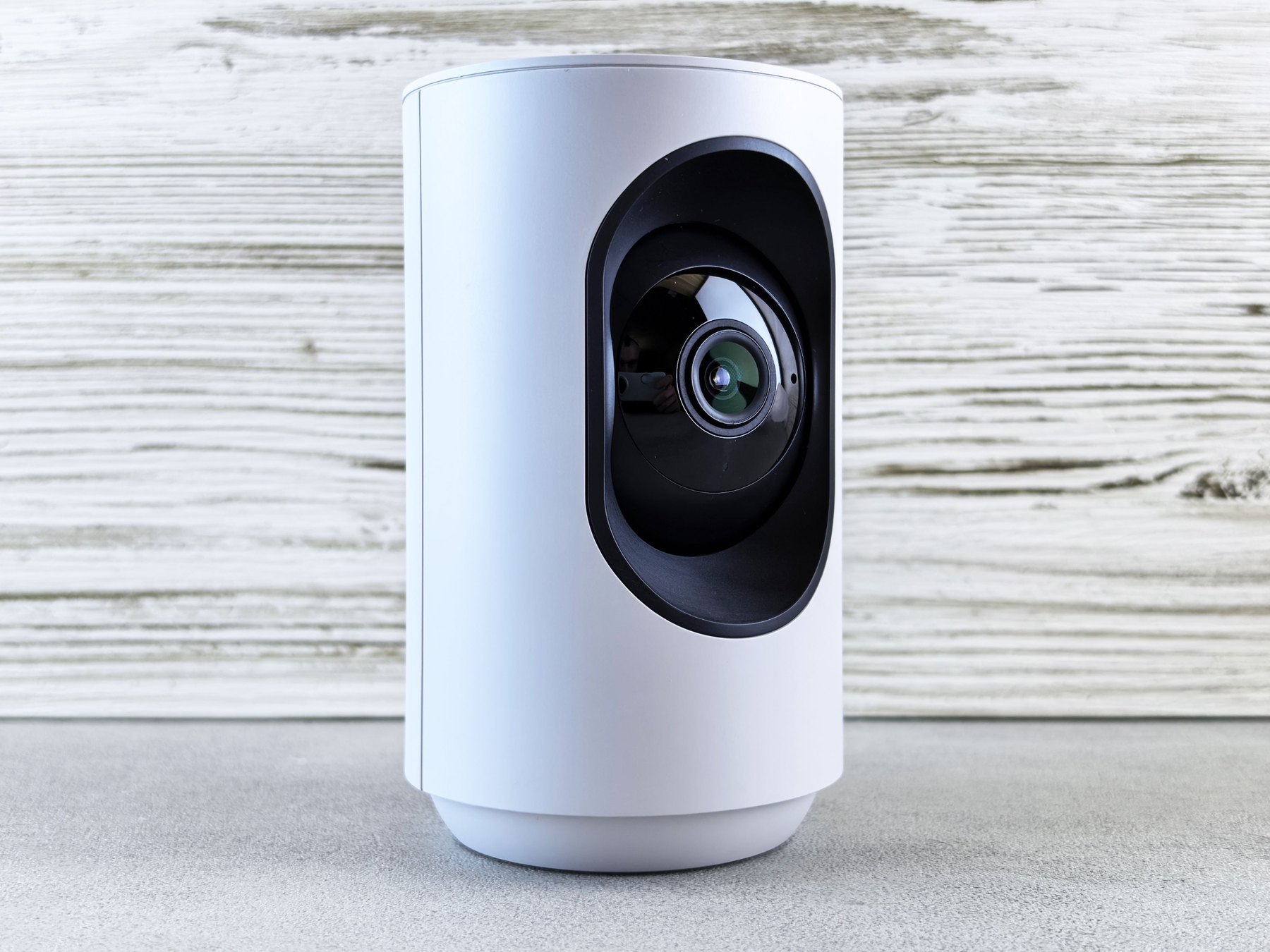
Discounts vary by insurer, state, and policy. Some companies offer a general “protective devices” discount, while others require a monitored system or specific sensors. A video doorbell is most likely to help if it is bundled into a broader security setup that the insurer recognizes.
Common discount categories to ask about
- Burglary alarm discount: Ask if self monitored devices qualify or if monitoring is required.
- Protective device discount: Ask what devices count (camera, doorbell camera, smart lock, glass break sensor).
- Gated community or secured building: More common for renters and condos.
- Loss prevention devices: Water sensors, temperature sensors, and shutoff valves can matter more than cameras for claim frequency.
Decision rule: when it is worth pursuing a discount
- If your insurer offers a discount for self monitored devices, a video doorbell may be enough to qualify.
- If your insurer only discounts professionally monitored systems, compare the annual monitoring cost to the potential premium reduction.
- If the discount is small, focus on shopping the policy itself. A better rate or higher deductible strategy can move the needle more than a gadget.
What to ask your insurer before you buy
Before spending money, call your insurer or agent and ask specific questions. You want a clear yes or no on eligibility, plus what proof they need.
Quick call script
- Do you offer a discount for video doorbells or security cameras?
- Does the system need professional monitoring? If yes, which monitoring types qualify?
- Do you require a certificate, receipt, or installation documentation?
- Is the discount different for homeowners vs renters?
- If I add other devices like water leak sensors, is there an additional discount?
- Does the discount apply immediately or at renewal?
Documents to keep
| Item | Why it matters | Where to find it |
|---|---|---|
| Purchase receipt | Shows device model and date | Email order confirmation or retailer account |
| Installation invoice (if pro installed) | Supports “installed” status | Installer or security company portal |
| Monitoring certificate (if monitored) | Many insurers require proof of monitoring | Alarm company customer support |
| Photos of installed device | Helps verify the device is in place | Your phone photo library |
| Device serial number | Useful for warranty and verification | Device settings or packaging |
Named video doorbell options to compare
Below are recognizable options people commonly consider. Availability, features, and subscription pricing can change, so verify current details before buying.
| Option | Best fit | What to compare | Main drawback |
|---|---|---|---|
| Ring Video Doorbell (Amazon) | Wide device ecosystem and accessories | Subscription cost for recording, compatibility, power options | Cloud recording often requires a plan |
| Nest Doorbell (Google) | Google Home households | Video history length, smart alerts, wiring vs battery | Some features depend on subscription |
| Arlo Video Doorbell | Users who want strong video features | Field of view, night vision, storage options | Full feature set may require a plan |
| Eufy Video Doorbell (Anker) | People seeking local storage options | Local vs cloud storage, notifications, integration | Local storage setup can be more hands on |
| Wyze Video Doorbell | Budget focused buyers | Ongoing fees, video quality, reliability | Lower cost can mean fewer premium features |
| SimpliSafe Video Doorbell Pro | Households considering monitored security | Monitoring plan terms, equipment bundles, discount eligibility | Best value often depends on monitoring subscription |
Device comparison checklist
- Power: battery vs hardwired (hardwired can be more reliable for frequent motion events).
- Storage: local storage, cloud storage, or both.
- Subscription: cost, cancellation flexibility, and what you lose without it.
- Privacy controls: two factor authentication, encryption, user permissions, and data retention settings.
- Integration: smart locks, lights, and alarm systems.
- Warranty and support: replacement process and expected lifespan.
Real number scenarios: when the math works
To decide whether a video doorbell helps your budget, separate the decision into two buckets: (1) the device and subscription cost and (2) any insurance premium change you may receive.
Scenario 1: renter with a low premium
Assumptions: Renters insurance premium is $180 per year. Doorbell costs $120 upfront. Optional cloud plan is $4 per month ($48 per year). Insurer offers no discount for self monitored devices.
- Year 1 cost: $120 + $48 = $168
- Insurance change: $0
- Decision rule: buy for convenience and security, not for insurance savings.
Scenario 2: homeowner who qualifies for a small protective device discount
Assumptions: Homeowners premium is $1,800 per year. Doorbell costs $200. Cloud plan is $60 per year. Insurer offers a 2% discount for qualifying protective devices after documentation.
- Potential premium reduction: 2% of $1,800 = $36 per year
- Ongoing subscription: $60 per year
- Net annual impact: $36 savings – $60 cost = -$24 per year (not counting the upfront device)
- Decision rule: the discount alone may not justify the subscription. Consider local storage or using the device without a plan if that meets your needs.
Scenario 3: homeowner bundling a monitored system
Assumptions: Homeowners premium is $2,400 per year. Monitored security plan is $25 per month ($300 per year). Insurer offers a 10% discount for professionally monitored burglary and fire monitoring. Equipment bundle costs $400 upfront and includes a video doorbell.
- Potential premium reduction: 10% of $2,400 = $240 per year
- Monitoring cost: $300 per year
- Net annual impact: $240 savings – $300 cost = -$60 per year (plus equipment)
- Decision rule: if you want monitoring for safety reasons, the discount can offset part of the cost. If you only want savings, the math may not work unless your premium is higher or the discount is larger.
Home security upgrades that can affect insurance more than a doorbell
If your goal is to reduce risk and potentially qualify for meaningful discounts, consider upgrades insurers often value more than cameras alone.
| Upgrade | Why insurers may care | Typical tradeoff |
|---|---|---|
| Professionally monitored alarm | Faster response can reduce theft losses | Monthly fee and contract terms |
| Monitored smoke and fire detection | Fire claims are high severity | Equipment and monitoring costs |
| Water leak sensors + automatic shutoff | Water damage is common and expensive | Installation complexity, device maintenance |
| Deadbolts and reinforced strike plates | Physical security reduces forced entry | May require landlord approval for renters |
| Smart lighting or timers | Deterrence when away | Limited insurance recognition |
Paying for a video doorbell: cash, credit, or buy now pay later
Many people finance home tech purchases, especially when bundling multiple devices. The best choice depends on your cash flow, interest rate, and how quickly you can pay it off.
Decision rules by timeline
- Under 1 year: If you can pay it off quickly, consider cash or a credit card you will pay in full each month. If using a promo APR, confirm the promo end date and any deferred interest terms.
- 1 to 3 years: Be cautious financing small purchases for multiple years. Compare total interest and fees to the device cost. A small personal loan can be expensive relative to the purchase.
- 3 to 7 years: Financing a doorbell rarely makes sense this long because devices age quickly. If you are bundling a larger home security project, compare a home improvement loan, a 0% intro APR card (if you can repay before it ends), or saving up.
- 7+ years: Avoid long term financing for rapidly depreciating electronics. Focus on overall home risk upgrades that last, like locks, doors, and plumbing protections.
Three sample budgets with real numbers (each adds up)
Budget A: $150 total – basic setup without ongoing fees
- $120 video doorbell (sale price or entry model)
- $20 upgraded door hardware (strike plate, longer screws)
- $10 printed window decals or signage (optional deterrence)
Budget B: $400 total – doorbell plus a few risk reducers
- $200 video doorbell
- $120 smart lock or high quality deadbolt
- $80 water leak sensors (starter kit)
Budget C: $1,200 total – broader system buildout
- $250 video doorbell
- $350 alarm starter kit (hub, keypad, entry sensors)
- $300 first year of monitoring (check current pricing)
- $300 water shutoff device or plumber visit for leak prevention upgrades
How to shop insurance after installing a doorbell
If you already have a video doorbell, you can still use it as a prompt to review your coverage and pricing.
Step by step
- Update your insurer: Ask if your device qualifies for any protective device credit and what proof they need.
- Review deductibles: A higher deductible can lower premium, but only choose one you could pay from savings.
- Check coverage limits: Make sure personal property and liability limits match your situation.
- Compare quotes: When shopping, compare the same coverages and deductibles across insurers.
- Bundle carefully: Bundling home and auto can reduce cost, but compare bundled vs unbundled totals.
Insurance shopping checklist
- Same dwelling or personal property limits across quotes
- Same deductible amounts
- Same endorsements (water backup, scheduled items, identity theft add ons)
- Confirm how claims affect future premiums
- Ask how protective device discounts are calculated and verified
Privacy, liability, and claim documentation tips
Security devices can create new responsibilities. A few practical steps can reduce headaches later.
- Secure your account: Use a unique password and enable two factor authentication.
- Set retention thoughtfully: Keep enough history to be useful, but do not store more than you need.
- Know your local rules: Recording audio can be regulated differently than video in some states.
- Save key clips: If an incident happens, export and back up relevant footage promptly.
If you experience theft or fraud related to deliveries or identity, the FTC has practical reporting steps at consumer.ftc.gov. For broader consumer protection information related to financial products, you can also review resources at consumerfinance.gov.
Bottom line: use the doorbell as part of a bigger savings plan
A video doorbell can improve awareness and documentation, and in some cases it can support an insurance discount, especially when tied to a monitored system. The most reliable way to pursue savings is to confirm discount rules with your insurer, keep documentation, and compare policies with the same coverage and deductibles.
If you are also trying to strengthen your overall financial safety net, consider reviewing your credit reports regularly so you can spot errors or fraud early. You can get free copies from AnnualCreditReport.com. If you keep cash for deductibles or emergencies, it can help to understand deposit insurance basics through the FDIC.


