

Best Door Sensors to Compare Before You Choose

Best door sensors can help you spot unexpected entry, track when kids get home, and reduce the chance of costly damage from an unnoticed open door. But the “best” option depends on your home, your phone setup, whether you already use a smart home platform, and how you want to pay for monitoring.
Contents
28 sections
-
How door sensors work (and what you are really buying)
-
Common types you will see
-
What "monitoring" means for your costs
-
Best door sensors: top options to compare
-
Key features that change the total cost and usefulness
-
1) Compatibility and hub requirements
-
2) Alert quality and customization
-
3) Battery life and maintenance
-
4) Reliability and range
-
5) Subscription plans and what they include
-
Budgeting for door sensors: what it looks like with real numbers
-
Scenario A: Small apartment, 2 doors, self monitoring
-
Scenario B: Typical home, 8 openings, DIY system with optional monitoring
-
Scenario C: Larger home, 12 openings, pro monitoring, plus contingency
-
Decision rules: how to choose based on your timeline and priorities
-
Under 1 year (short term rental or temporary setup)
-
1 to 3 years (starter home or stable rental)
-
3 to 7 years (longer term home)
-
7+ years (long term stability and resilience)
-
Checklist: what to compare before you buy
-
How door sensors connect to smarter money decisions
-
Simple subscription decision rule
-
Installation tips that prevent false alarms and wasted money
-
Financing and payment options: when it makes sense to spread out costs
-
What to compare if you finance equipment
-
Practical rule of thumb
-
Where to learn more about home security and consumer protection
-
Quick pick framework: match the sensor to your situation
This guide compares well known door sensor options, explains what to look for, and shows what the costs can look like with real numbers. You will also find decision rules and checklists so you can choose a setup that fits your risk level and budget.
How door sensors work (and what you are really buying)
A door sensor is usually a two piece contact sensor: one piece mounts on the door (or window) and the other mounts on the frame. When the door opens, the pieces separate and the sensor sends an “open” event to an app, hub, or alarm panel.
Common types you will see
- Standalone WiFi sensors – connect directly to your WiFi and send alerts to an app. Easy to start, but battery life and reliability can vary.
- Hub based sensors (Zigbee, Z-Wave, Thread) – the sensor talks to a hub (like an alarm base station or smart home hub). Often more reliable and better on battery.
- Alarm system sensors – designed to work with a specific security system (Ring Alarm, SimpliSafe, ADT, Vivint). May offer professional monitoring options.
- Smart lock + sensor combinations – some setups use a lock’s built in door state detection, sometimes with a separate sensor for accuracy.
What “monitoring” means for your costs
- Self monitoring – you get app notifications. Usually no monthly fee, but you are responsible for responding.
- Professional monitoring – a monitoring center can contact you and possibly dispatch emergency services depending on the plan and situation. This is typically a monthly cost.
Best door sensors: top options to compare
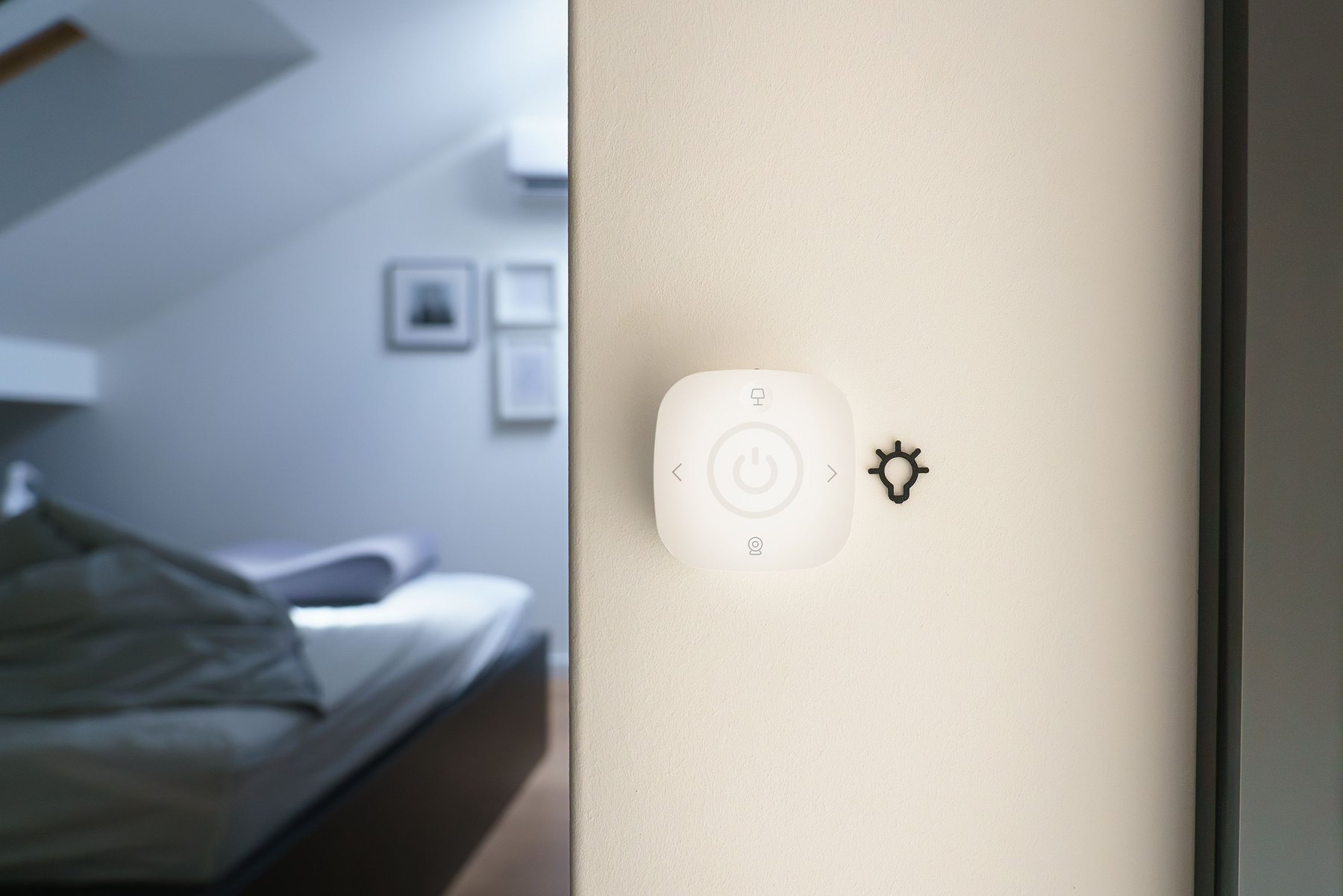
Below are recognizable, widely available options. Availability, features, and subscription details can change, so verify current pricing, compatibility, and plan terms before buying.
| Option | Best fit | What to compare | Main drawback |
|---|---|---|---|
| Ring Alarm Contact Sensor | Homes already using Ring Alarm or Ring cameras | Ring Alarm base station needs, plan features, cellular backup | Works best inside the Ring ecosystem |
| SimpliSafe Entry Sensor | People who want an easy DIY security system | Monitoring plan tiers, sensor range, app controls | Limited value without the SimpliSafe base station |
| ADT Door and Window Sensor | Households that prefer installed systems and pro monitoring | Contract terms, equipment costs, cancellation policy | Can be more expensive and may involve longer commitments |
| Vivint Door Sensor | Smart home security bundles with professional installation | Equipment financing, contract length, integration options | Higher total cost for many households |
| Abode Door/Window Sensor | DIY smart security with flexible integrations | Hub requirements, HomeKit/Alexa/Google support, plan options | Some features depend on specific hubs or plans |
| Aqara Door and Window Sensor | Budget minded smart home users, especially with Apple Home | Hub needed (Aqara hub), automation options, battery life | Usually requires an Aqara hub for best experience |
| Samsung SmartThings multipurpose sensor | SmartThings users who want door plus vibration/tilt sensing | Hub compatibility, automation rules, sensor size | Not the cheapest per door |
Key features that change the total cost and usefulness
Door sensors look similar, but a few details can change your day to day experience and your long term costs.
1) Compatibility and hub requirements
- Do you need a hub? Zigbee, Z-Wave, and Thread sensors usually need a compatible hub or border router.
- Do you already have an ecosystem? If you already use Ring, SimpliSafe, SmartThings, Alexa, Google Home, or Apple Home, staying in that ecosystem can reduce friction and extra hardware costs.
2) Alert quality and customization
- Entry delay and chimes – helpful if you want a warning before an alarm triggers or a chime when a door opens.
- Notification controls – look for schedules (for example, only alert at night) and user permissions.
- Automation – “If door opens, turn on lights” can be more practical than security alone.
3) Battery life and maintenance
Battery life depends on protocol, distance to hub, and how often the door opens. Compare:
- Battery type (coin cell vs AA)
- Low battery alerts
- How easy it is to replace batteries without removing the mount
4) Reliability and range
Range matters in larger homes, detached garages, or metal door frames. If you have a long distance, compare:
- Whether the system supports range extenders
- Whether the hub can be centrally located
- Whether the sensor supports stronger mesh networking (common with Zigbee and Z-Wave setups)
5) Subscription plans and what they include
Some brands sell inexpensive sensors but earn revenue through monitoring plans. When you compare plans, focus on what you actually need:
- Professional monitoring vs self monitoring
- Cellular backup (useful if WiFi goes down)
- Video storage if you also use cameras
- Extended warranties or device replacement
Budgeting for door sensors: what it looks like with real numbers
Because prices and plan fees change, the examples below use realistic ranges rather than exact current prices. The goal is to help you estimate total cost of ownership: equipment + optional monthly fees + replacements.
Scenario A: Small apartment, 2 doors, self monitoring
- Equipment: 2 sensors ($20 to $40 each) = $40 to $80
- Hub: $0 if you choose a WiFi option, or $50 to $150 if a hub is required
- Monthly: $0
Example allocation (total $150):
- $80 for 2 sensors
- $50 for a basic hub (if needed)
- $20 set aside for spare batteries and mounting supplies
Scenario B: Typical home, 8 openings, DIY system with optional monitoring
- Equipment: 8 sensors ($20 to $40 each) = $160 to $320
- Base station: $100 to $300 depending on brand and bundles
- Monthly: $0 for self monitoring, or roughly $10 to $35 for professional monitoring depending on features
Example allocation (total $500):
- $260 for 8 sensors
- $200 for base station
- $40 for a range extender or extra keypad (optional)
Scenario C: Larger home, 12 openings, pro monitoring, plus contingency
- Equipment: 12 sensors ($20 to $50 each) = $240 to $600
- System: $200 to $600 depending on installation and smart home add ons
- Monthly: often $20 to $60+ depending on provider, cellular backup, and add ons
Example allocation (total $1,200):
- $480 for 12 sensors
- $500 for a more robust system bundle
- $120 reserved for installation materials, extra mounts, and replacements
- $100 reserved for the first month or two of monitoring while you test fit
Decision rules: how to choose based on your timeline and priorities
Door sensors are not an “investment” in the traditional sense, but your timeline still matters because it affects how much setup effort and monthly cost makes sense.
Under 1 year (short term rental or temporary setup)
- Prioritize low upfront cost and easy removal.
- Consider self monitoring and avoid long commitments.
- Decision rule: If you might move soon, favor systems that can be reinstalled quickly and do not require professional installation.
1 to 3 years (starter home or stable rental)
- Prioritize reliability and a platform you can expand later.
- Decision rule: If you plan to add cameras, smoke/CO monitoring, or smart locks, pick an ecosystem that supports those add ons without replacing everything.
3 to 7 years (longer term home)
- Consider total cost of ownership, including monitoring and replacement sensors.
- Decision rule: If you want fewer false alerts and better range, a hub based system can be worth the extra upfront cost.
7+ years (long term stability and resilience)
- Prioritize support, replaceable parts, and a track record of updates.
- Decision rule: If you want resilience during outages, compare cellular backup options and how the system behaves when WiFi is down.
Checklist: what to compare before you buy
| Category | Questions to ask | Why it matters |
|---|---|---|
| Upfront cost | How much per sensor? Do you need a hub? | Low sensor prices can be offset by required base stations. |
| Monthly cost | Is monitoring optional? What features are paywalled? | Plans can change your long term budget more than hardware. |
| Compatibility | Does it work with your phone and smart home platform? | Reduces duplicate apps and improves automation. |
| Reliability | What is the range? Is there a mesh network or extender? | Missed alerts reduce the point of the sensor. |
| Power | Battery type, expected life, low battery alerts? | Frequent battery changes add hassle and small ongoing costs. |
| Installation | Adhesive vs screws? Works on metal frames? | Bad mounting causes false alarms and sensor drift. |
| Privacy and accounts | Do you need an account? Can you add guest users? | Controls who gets alerts and how data is handled. |
How door sensors connect to smarter money decisions
Door sensors are a home expense, but they can connect to your broader financial picture in a few practical ways:
- Reducing loss risk – alerts can help you respond faster to break ins or doors left open. The value is situational, but faster awareness can reduce the size of a loss.
- Insurance conversations – some insurers offer discounts for monitored security systems or certain devices, while others do not. Ask your insurer what qualifies and what documentation they need before you pay extra for monitoring.
- Avoiding “subscription creep” – a low monthly fee can add up when combined with streaming, cloud storage, and other smart home subscriptions.
Simple subscription decision rule
If you are considering professional monitoring, compare the annual cost of the plan to your comfort level and your ability to respond quickly. For some households, self monitoring plus good lighting and strong locks is enough. For others, professional monitoring and cellular backup may feel worth the ongoing cost.
Installation tips that prevent false alarms and wasted money
- Measure the gap between sensor pieces. Many sensors need the magnet aligned within a small distance.
- Clean the surface before using adhesive. Oils and dust cause sensors to fall off.
- Test before final mounting. Pair the sensor, trigger it a few times, then mount it.
- Label sensors in the app (Front Door, Garage Entry). Clear labels reduce confusion during alerts.
- Plan for pets and kids. Use chimes and notification schedules to avoid constant alerts.
Financing and payment options: when it makes sense to spread out costs
Many security companies and retailers offer installment plans or equipment financing. Spreading costs can help cash flow, but compare the full cost and terms.
What to compare if you finance equipment
- APR or implied financing cost (if any)
- Length of repayment term
- Whether monitoring is required during the term
- Early payoff rules
- Return policy and restocking fees
Practical rule of thumb
If you can pay upfront without draining your emergency fund, paying upfront can keep your monthly bills simpler. If paying upfront would push you to carry a credit card balance, compare installment terms carefully and prioritize the lowest total cost.
Where to learn more about home security and consumer protection
- FTC consumer guidance for avoiding scams and understanding common consumer issues.
- Consumer Financial Protection Bureau (CFPB) for help with billing disputes and consumer financial topics.
- FDIC for understanding deposit insurance if you are budgeting and saving for home upgrades.
Quick pick framework: match the sensor to your situation
- If you already use Ring cameras: compare Ring Alarm Contact Sensors and Ring plan options, especially if you want one app.
- If you want a simple DIY alarm kit: compare SimpliSafe vs Abode on monitoring tiers and expansion devices.
- If you want professional installation: compare ADT and Vivint on contract length, equipment costs, and cancellation terms.
- If you want smart home automations on a budget: compare Aqara and SmartThings sensors, including hub requirements and automation flexibility.
When you narrow your list, price out your full setup: number of doors and windows, the hub or base station, and any monthly plan you might keep for at least a year. That total is usually the most useful number for choosing among the best door sensors for your home.


