

Best Smart Home Buys to Compare Before You Choose

Best smart home buys can make your home more comfortable and secure, but the “best” choice depends on your budget, your WiFi, and how much you want to pay over time.
Contents
27 sections
-
Start with your goal and your "must work" list
-
Common smart home goals
-
Your "must work" checklist
-
Best smart home buys: compare these categories first
-
1) Video doorbells and cameras
-
2) Smart thermostats
-
3) Smart locks
-
4) Lighting and smart plugs
-
5) Whole home hubs and ecosystems
-
Named options to compare (with what to watch for)
-
Cost comparison: upfront price is not the total price
-
Total cost checklist
-
How to decide if financing smart home devices makes sense
-
Decision rules that keep the math simple
-
Timeline based guidance
-
What this looks like with real numbers (3 sample budgets)
-
Scenario A: $300 starter setup (renters or small apartments)
-
Scenario B: $1,000 security and comfort bundle (typical household)
-
Scenario C: $2,500 whole home build (homeowners planning a system)
-
Privacy, security, and identity protection comparisons that matter
-
Practical privacy checks
-
Buying checklist: compare before you click "place order"
-
If you use credit to buy smart home devices, compare the borrowing costs
-
Borrowing comparison table
-
Quick math rule for financing
-
Where to look for reliable product and safety information
-
Bottom line: build a smart home plan, not a gadget pile
Smart devices often look inexpensive upfront, then add ongoing costs through subscriptions, cloud storage, replacement batteries, and compatibility upgrades. If you plan to finance purchases with a credit card, buy now pay later, or a personal loan, the total cost matters even more. This guide walks through what to compare, which brands are common options, and how to decide with real numbers.
Start with your goal and your “must work” list
Before comparing brands, get clear on what you want the system to do. Smart home shopping goes smoother when you decide your priorities first, then pick devices that match them.
Common smart home goals
- Security: video doorbell, outdoor cameras, smart locks, alarm monitoring.
- Energy savings and comfort: smart thermostat, smart plugs, lighting schedules.
- Convenience: voice assistant, routines, garage door control.
- Safety: smoke and CO alarms, leak sensors, freeze sensors.
Your “must work” checklist
- Phone compatibility: iOS, Android, or both.
- Voice ecosystem: Alexa, Google Assistant, Apple HomeKit, or no voice control.
- Home internet: router age, WiFi coverage, and whether you need a mesh system.
- Power and placement: wired vs battery devices, outdoor power access, doorbell wiring.
- Privacy preferences: local storage vs cloud storage, microphone and camera controls.
Best smart home buys: compare these categories first
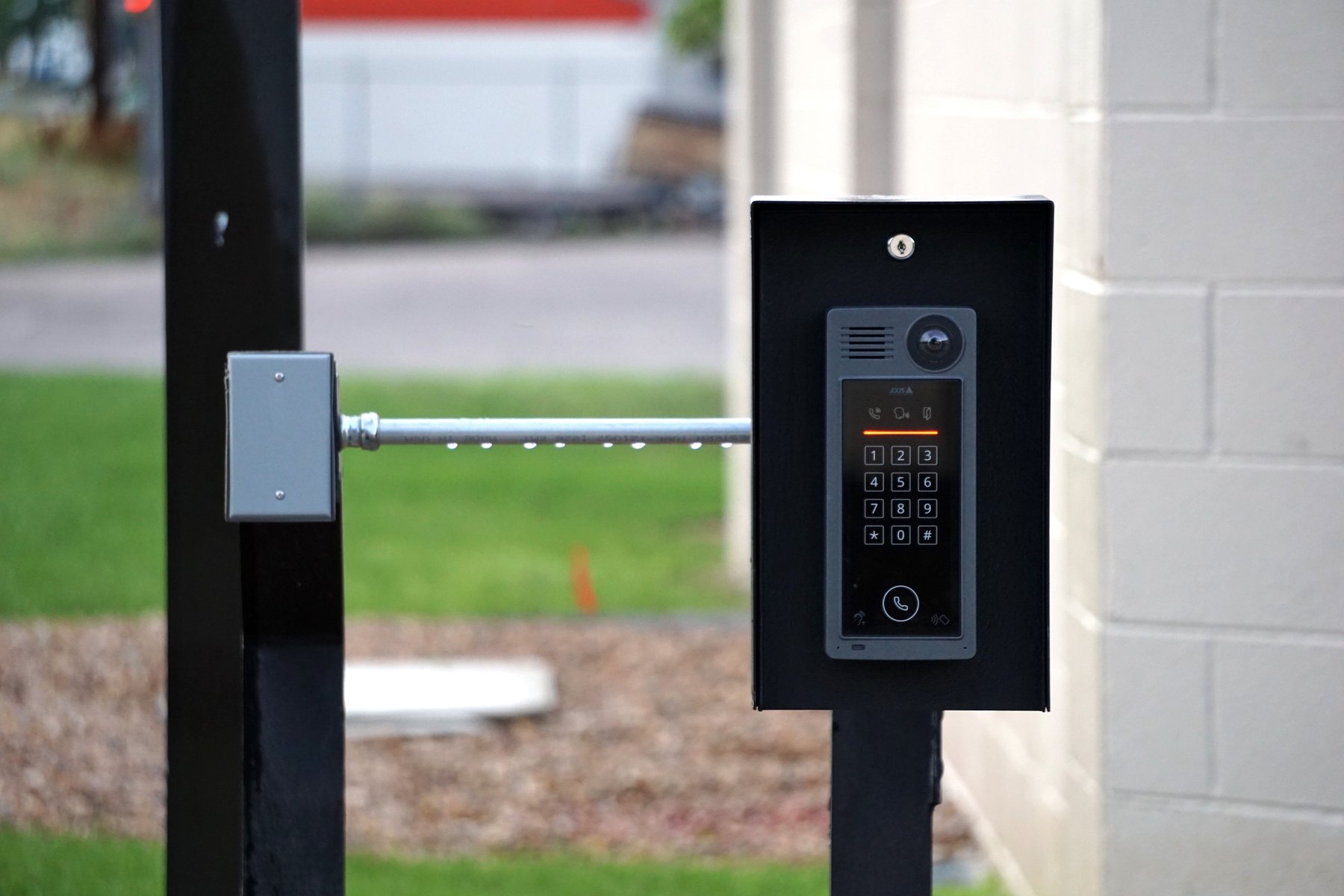
Instead of buying random gadgets, compare a few high impact categories. These are the areas where costs, subscriptions, and compatibility differences show up quickly.
1) Video doorbells and cameras
Doorbells and cameras are popular first buys, but they can lock you into a subscription for recording and alerts. Compare:
- Recording: cloud subscription vs local storage (microSD, hub, or NVR).
- Video quality: resolution, night vision, field of view.
- Power: battery, wired, or solar accessory.
- Notifications: person detection, package detection, activity zones.
- Ongoing costs: check current subscription pricing and what features require a plan.
2) Smart thermostats
A smart thermostat can be a strong value if your HVAC system is compatible and you use schedules. Compare:
- HVAC compatibility: especially if you have a heat pump, multi stage system, or no C wire.
- Remote sensors: useful for uneven temperatures across rooms.
- Controls: app quality, manual controls, and learning features.
- Utility programs: some utilities offer rebates or demand response programs. Verify terms and opt out rules.
3) Smart locks
Smart locks add convenience, but reliability matters more than fancy features. Compare:
- Lock type: retrofit deadbolt vs full replacement.
- Access methods: keypad, app, fingerprint, physical key backup.
- Auto lock and alerts: door left open alerts, lock status history.
- Battery life: typical battery type and low battery warnings.
- Guest access: temporary codes and scheduling.
4) Lighting and smart plugs
Lighting is often the easiest way to build routines. Compare:
- Bulbs vs switches: bulbs are flexible, switches control a whole circuit.
- Hubs: some systems require a hub for reliability.
- Color vs white: color costs more and may not be necessary.
- Energy monitoring: some plugs provide usage data.
5) Whole home hubs and ecosystems
Many frustrations come from mixing devices that do not play well together. Compare:
- Ecosystem fit: Amazon Alexa, Google Home, Apple Home, Samsung SmartThings.
- Local control: what still works if the internet is down.
- Standards support: Matter and Thread support can improve cross brand compatibility, but verify device by device.
Named options to compare (with what to watch for)
Below are recognizable brands and platforms many shoppers compare. Availability and features can change, so verify current device compatibility, subscription requirements, and app support before buying.
| Option | Best fit | What to compare | Main drawback |
|---|---|---|---|
| Ring (Amazon) | Doorbells and cameras with broad Alexa integration | Subscription needs for recording, device lineup, privacy controls | Many features depend on a paid plan |
| Nest (Google) | Google Home users wanting cameras and thermostats | Subscription features, camera performance, thermostat compatibility | Can be ecosystem focused, check cross platform support |
| Arlo | Wireless camera setups and flexible placements | Battery life, subscription tiers, base station options | Ongoing costs can add up for multiple cameras |
| Eufy (Anker) | Shoppers prioritizing local storage options | Local vs cloud features, hub requirements, security updates | Verify current privacy and storage settings per model |
| Ecobee | Thermostat buyers who want room sensors | Sensor pricing, HVAC compatibility, app controls | Upfront cost can be higher than basic thermostats |
| Philips Hue | Reliable smart lighting and scenes | Hub needs, bulb costs, switch options | Can be expensive for whole home coverage |
| TP-Link Kasa / Tapo | Budget friendly plugs, switches, and some cameras | App experience, local control, device durability | Feature depth varies by product line |
| August | Retrofit smart locks for existing deadbolts | Auto unlock reliability, battery life, bridge needs | Some features may require extra hardware |
| Schlage | Lock buyers prioritizing traditional hardware feel | Keypad reliability, smart integration, installation fit | Model features differ widely, compare carefully |
| Samsung SmartThings | Multi brand smart home setups and automations | Hub requirements, device compatibility list, automation depth | Setup can be more complex than single brand systems |
Cost comparison: upfront price is not the total price
Smart home costs usually fall into four buckets: device price, installation, subscriptions, and maintenance. A cheap camera can become expensive if you need a plan for each device, replace batteries often, or end up upgrading your router.
Total cost checklist
| Cost item | Questions to ask | How it can surprise your budget |
|---|---|---|
| Device cost | Do you need one device or a set? Are mounts included? | Accessories and extra sensors add up fast |
| Installation | DIY or pro install? Any electrician work needed? | Doorbell wiring, smart switches, and thermostats may need help |
| Subscriptions | What features require a plan? Per device or per home? | Cloud recording and advanced alerts may be paywalled |
| Maintenance | Battery type and replacement frequency? Firmware updates? | Frequent battery swaps and missed updates reduce reliability |
| Network upgrades | Is your WiFi strong outdoors and at doors? | You may need a mesh router or extender for stable video |
| Compatibility churn | Will it work with your phone and hub for years? | App changes or discontinued support can force replacements |
How to decide if financing smart home devices makes sense
Many people put smart home purchases on a credit card or use buy now pay later. Financing can help spread costs, but it can also turn a convenience upgrade into long running debt.
Decision rules that keep the math simple
- If you cannot pay it off within 1 to 2 billing cycles, treat it like a real loan decision and compare APR and fees.
- If the device needs a subscription, budget the subscription first. If the subscription strains your monthly cash flow, the device may not fit yet.
- If you are carrying credit card balances, consider whether paying down high APR debt is a better use of cash than adding new monthly payments.
- If you are buying for safety (locks, alarms, leak sensors), prioritize reliability and support over the lowest sticker price.
Timeline based guidance
- Under 1 year: Favor smaller, high impact buys you can pay off quickly (smart plugs, a basic thermostat if compatible). Avoid stacking multiple subscription devices.
- 1 to 3 years: Consider building a cohesive ecosystem (hub, a few sensors, a doorbell). Aim for predictable monthly costs and fewer overlapping apps.
- 3 to 7 years: Focus on durable upgrades that you will keep through multiple phone upgrades (locks, switches, thermostats). Compare warranty terms and replacement parts.
- 7+ years: Think like a homeowner improvement plan. Choose widely supported standards and devices with strong track records, and budget for router refreshes over time.
What this looks like with real numbers (3 sample budgets)
Prices vary by model and sales, so these examples show how to structure a plan rather than exact product totals. The goal is to avoid buying a pile of devices that require new subscriptions and upgrades you did not plan for.
Scenario A: $300 starter setup (renters or small apartments)
- $60 – smart speaker or display (optional if you want voice control)
- $120 – smart thermostat (only if HVAC compatible; otherwise swap for plugs and bulbs)
- $80 – 2 smart plugs and 2 smart bulbs
- $40 – leak sensor or contact sensor starter
Total: $300. Decision rule: avoid devices that require a monthly plan at this budget unless you are comfortable adding that ongoing cost.
Scenario B: $1,000 security and comfort bundle (typical household)
- $200 – video doorbell
- $300 – two outdoor cameras
- $250 – smart lock plus keypad if needed
- $200 – smart thermostat
- $50 – extra door and window sensors
Total: $1,000. Decision rule: before buying, estimate your monthly subscription cost for recording and monitoring and decide if you want per device plans or a single plan that covers multiple devices.
Scenario C: $2,500 whole home build (homeowners planning a system)
- $400 – mesh WiFi upgrade (if coverage is weak)
- $600 – doorbell plus three cameras
- $500 – smart lock for main entry and garage entry
- $500 – smart lighting (mix of switches and bulbs)
- $300 – thermostat plus extra room sensors
- $200 – safety sensors (leak, smoke/CO integration, contact sensors)
Total: $2,500. Decision rule: pick one primary ecosystem and confirm each device supports it. If you plan to finance, compare the total repayment cost versus saving up for a few months and buying in phases.
Privacy, security, and identity protection comparisons that matter
Smart home devices can collect video, audio, and usage data. The practical comparison is not “which brand is perfect,” but which settings and storage choices match your comfort level.
Practical privacy checks
- Account security: use a unique password and enable multi factor authentication if offered.
- Data storage: compare local storage options versus cloud storage and how long clips are kept.
- Sharing: review who can access the home account and remove old users.
- Device permissions: check microphone and camera controls in the app and on the device.
If you are concerned about scams tied to online accounts, the FTC has practical guidance on spotting and avoiding fraud at https://consumer.ftc.gov/.
Buying checklist: compare before you click “place order”
- Compatibility: confirm your phone OS, hub, and voice assistant support.
- Power: confirm wiring or battery expectations and outdoor temperature ratings.
- Subscriptions: list which features you want and whether they require a plan.
- Returns and warranty: check return windows and warranty length.
- Security updates: look for a track record of firmware updates and clear support pages.
- Total monthly impact: add any subscriptions and any financing payment to your monthly budget.
If you use credit to buy smart home devices, compare the borrowing costs
If you plan to borrow, compare the cost of carrying the balance. A 0% promotional offer can be helpful if you can pay it off before the promo ends, while a high APR balance can make a modest purchase expensive over time.
Borrowing comparison table
| How you pay | Best for | What to compare | Main risk |
|---|---|---|---|
| Cash or debit | Staying within budget and avoiding interest | Return policy, warranty, subscription costs | Less flexibility if you need funds for emergencies |
| Credit card paid in full | Earning rewards without paying interest | Purchase protections, extended warranty benefits | Carrying a balance can get expensive |
| 0% intro APR credit card | Planned payoff within the promo window | Promo length, post promo APR, balance transfer fees | Interest may apply after promo if not paid off |
| Buy now pay later | Short term installment plans for a single purchase | Late fees, payment schedule, return handling | Multiple plans can strain cash flow |
| Personal loan | Larger projects with a fixed payoff schedule | APR, origination fees, term length, total interest | Borrowing longer than the device lifespan |
Quick math rule for financing
If the monthly payment forces you to cut essentials or miss other bills, scale back the device list. If you are unsure about your credit profile, it can help to review your credit reports for accuracy before applying for new credit. You can get free weekly reports at https://www.annualcreditreport.com/.
Where to look for reliable product and safety information
For broader consumer protection and money management guidance, these sources are useful when you are comparing subscription terms, billing disputes, or credit decisions:
- Consumer Financial Protection Bureau (CFPB) for credit card and loan information, billing rights, and complaint resources.
- Federal Trade Commission (FTC) for scam and fraud prevention tips.
- FDIC for basic banking and deposit insurance information if you are budgeting and building savings for home upgrades.
Bottom line: build a smart home plan, not a gadget pile
The best smart home buys are the ones that fit your home, your comfort with subscriptions, and your budget month after month. Start with one goal, pick an ecosystem, and compare total cost including subscriptions and any borrowing costs. Buying in phases often beats buying everything at once, especially if you are financing or still testing what you actually use.


