

What Is A Burglar Alarm?

A burglar alarm is a security system designed to detect unauthorized entry and alert you through loud sirens, phone notifications, and sometimes a monitoring center response. While alarms are often discussed as a home safety topic, they also connect to everyday money decisions like budgeting for equipment, ongoing monitoring fees, potential insurance discounts, and avoiding costly false alarms.
Contents
34 sections
-
How a burglar alarm works
-
Core components you will see in most systems
-
Burglar alarm types: wired, wireless, and monitored vs self-monitored
-
Wired vs wireless
-
Professional monitoring vs self-monitoring
-
Common add-ons that change the budget
-
What a burglar alarm costs (with real-number examples)
-
Typical cost categories
-
Three sample budgets that add up
-
Decision rule: when monitoring fees may be worth it
-
Features to compare before you buy
-
Security and reliability
-
Costs and contract terms
-
Compatibility and expansion
-
Common burglar alarm mistakes that waste money
-
Overbuying cameras before covering basics
-
Ignoring false alarm risk
-
Not checking total cost over 2 to 3 years
-
How to choose a burglar alarm for your home: a step-by-step checklist
-
Step 1: Map your entry points
-
Step 2: Pick your alert plan
-
Step 3: Decide on connectivity and backup
-
Step 4: Build a right-sized package
-
Step 5: Compare total cost and terms
-
Named burglar alarm providers to compare (examples)
-
How burglar alarms can affect homeowners or renters insurance
-
Quick math check
-
Privacy, data, and scam red flags
-
FAQs
-
Is a burglar alarm the same as a home security system?
-
Do I need a permit for a burglar alarm?
-
What should I do if I get a false alarm?
-
Can a burglar alarm help protect my credit or finances?
-
Bottom line: a burglar alarm is a budget decision as much as a safety decision
This guide breaks down how burglar alarms work, the main types, what features matter, and what the real costs can look like with numbers. You will also find checklists and decision rules to help you choose a setup that fits your home, lifestyle, and budget.
How a burglar alarm works
Most burglar alarms follow the same basic flow:
- Sensors detect a problem – A door opens, a window breaks, or motion is detected in a protected area.
- The control panel processes the signal – The panel decides whether the event matches an armed zone and triggers an alarm.
- An alert is triggered – This can include a siren, flashing lights, app notifications, and alerts to a monitoring center if you subscribe.
- Response happens – You respond yourself, or a monitoring center calls you and may contact emergency services depending on the situation and local rules.
Alarms are usually set to different modes such as Away (full protection), Stay (perimeter protection while you are home), and sometimes Night (a tighter version of Stay). Many systems also let you create zones, for example, arming the garage door sensor but leaving a back door unarmed during a party.
Core components you will see in most systems
- Control panel or hub – The system brain. Some are keypad-based, others are app-first.
- Entry sensors – Small sensors for doors and windows that detect opening.
- Motion detectors – Detect movement inside. Some are pet-friendly up to a certain weight range.
- Glass break sensors – Listen for the sound pattern of breaking glass.
- Siren – Loud alarm to deter and alert.
- Communicator – Wi-Fi, cellular, or both. Cellular can keep the system connected if internet is down.
- Power backup – Battery backup helps during outages.
Burglar alarm types: wired, wireless, and monitored vs self-monitored
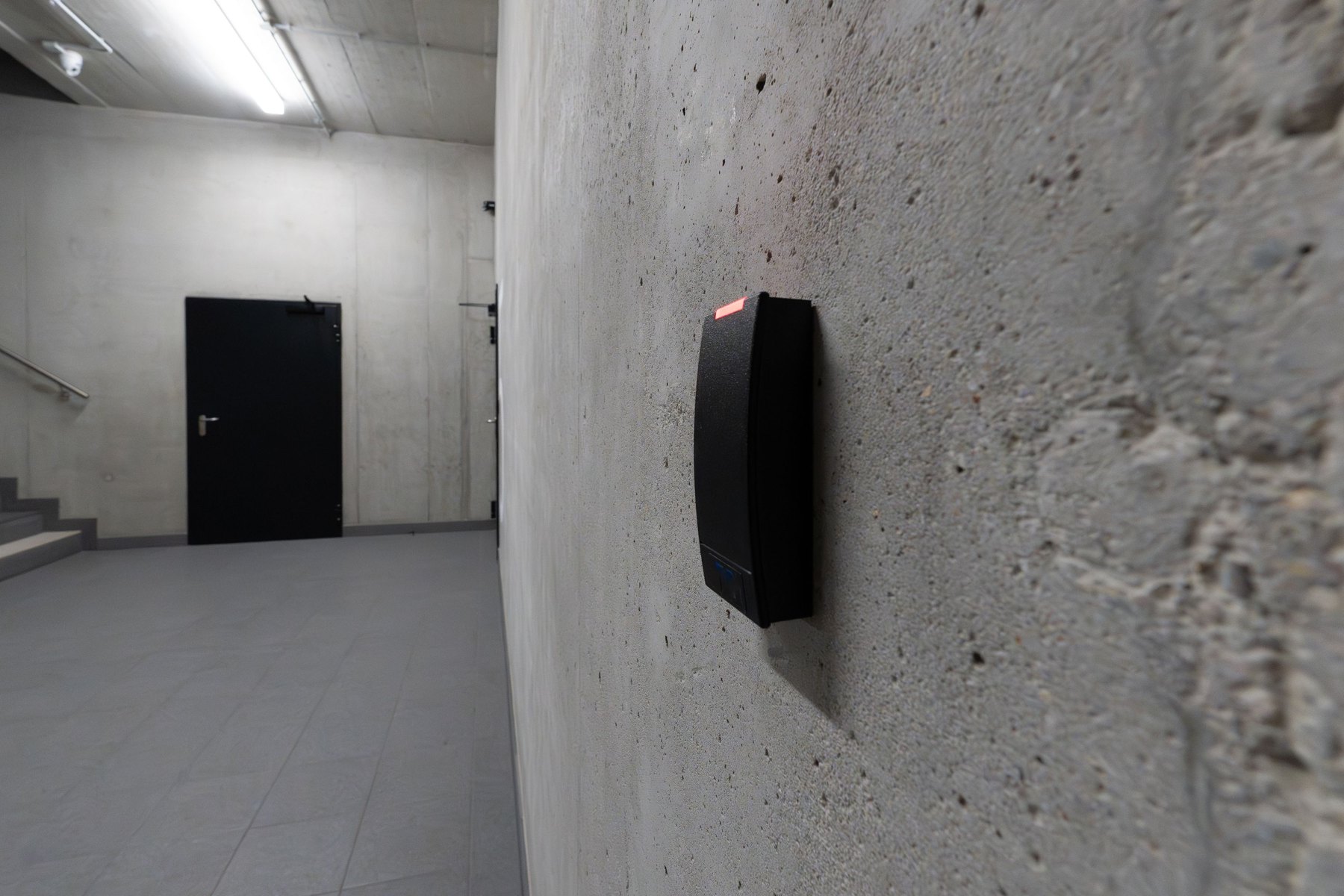
There are two big choices: how the system connects (wired vs wireless) and how alerts are handled (professional monitoring vs self-monitoring).
Wired vs wireless
- Wired systems connect sensors to the panel with cables. They can be reliable and are common in new construction or major remodels, but installation can be more involved.
- Wireless systems use radio signals from sensors to the hub. They are popular for DIY installs and rentals, but you need to manage batteries and confirm signal strength in larger homes.
Professional monitoring vs self-monitoring
- Professional monitoring means a monitoring center receives alerts 24/7 and follows a call list. This usually comes with a monthly fee and may require a contract depending on the provider.
- Self-monitoring means alerts go to your phone. It can cost less ongoing, but you are responsible for responding, and you may miss alerts if you are asleep, traveling, or have poor reception.
Common add-ons that change the budget
- Video doorbells and cameras – Useful for verification, but can add equipment costs and cloud storage fees.
- Smart locks – Convenience and access control, but higher upfront cost.
- Environmental sensors – Smoke, CO, water leak, and freeze sensors. These are not burglar sensors, but they can reduce the risk of expensive damage.
What a burglar alarm costs (with real-number examples)
Burglar alarm costs usually fall into three buckets: equipment, installation, and ongoing service. Your total depends on the size of your home, how many entry points you protect, and whether you pay for monitoring.
Typical cost categories
- Equipment – Hub, sensors, siren, cameras, keypads.
- Installation – DIY (your time) or professional install fee.
- Ongoing costs – Monitoring subscription, cellular backup, cloud video storage, replacement batteries.
| Cost item | What it covers | How to keep it reasonable | Common surprise |
|---|---|---|---|
| Starter equipment | Hub, 2 to 4 entry sensors, motion sensor, keypad or app control | Start with doors you use most and expand later | Extra sensors add up quickly in larger homes |
| Professional installation | Mounting, pairing devices, testing zones | Ask what is included and what costs extra | Additional devices may increase install fees |
| Monitoring plan | 24/7 response, dispatch procedures, sometimes cellular backup | Compare month-to-month vs contract plans | Early cancellation fees on some contracts |
| Video storage | Cloud recording and event history | Only pay for cameras you truly need recorded | Multiple cameras can raise monthly costs |
| Maintenance | Batteries, replacing damaged sensors, firmware updates | Set battery reminders and test monthly | Cold weather can shorten battery life |
Three sample budgets that add up
These examples show what burglar alarm spending can look like in year one. Prices vary by provider, home size, and features, so use them as a planning template and verify current pricing.
- Scenario A: Small apartment, self-monitored
Equipment: $200 (hub + 3 entry sensors + motion)
Installation: $0 (DIY)
Ongoing: $0 per month (no monitoring) + $40 estimated batteries and replacements
Estimated year-one total: $240 - Scenario B: Townhome, professional monitoring
Equipment: $450 (hub + 8 entry sensors + 2 motions + siren)
Installation: $150 (professional install)
Ongoing: $25 per month monitoring = $300 per year + $50 maintenance
Estimated year-one total: $950 - Scenario C: Single-family home, monitoring + cameras
Equipment: $900 (hub + 12 entry sensors + 3 motions + 3 cameras)
Installation: $200 (install help)
Ongoing: $45 per month (monitoring + video) = $540 per year + $60 maintenance
Estimated year-one total: $1,700
Decision rule: when monitoring fees may be worth it
- If you travel often, sleep through phone alerts, or have spotty cell service at home, monitoring can add reliability.
- If you mainly want a loud siren and phone notifications and you are usually nearby, self-monitoring may meet your needs.
- If you are considering monitoring mainly for an insurance discount, ask your insurer what documentation is required and how much the discount typically is for your policy.
Features to compare before you buy
Two systems can look similar but cost very different amounts over time. Compare these details side by side:
Security and reliability
- Cellular backup – Helps if Wi-Fi goes down or is cut.
- Battery backup – Keeps the system running during power outages.
- Tamper protection – Alerts if a sensor is removed or a panel is opened.
- App alerts and user controls – Multiple users, guest codes, and activity logs.
Costs and contract terms
- Upfront equipment cost – Bundles can be cheaper than buying piece by piece.
- Monthly fees – Monitoring, cellular, and video storage may be separate.
- Contract length – Month-to-month vs multi-year agreements.
- Cancellation policy – Look for early termination fees and return requirements.
- Warranty – Coverage length and what is excluded.
Compatibility and expansion
- Smart home integrations – For example, Alexa, Google Home, Apple Home, or Z-Wave devices depending on the system.
- Sensor variety – Garage tilt sensors, outdoor motion, smoke and CO, water leak sensors.
- Local permit requirements – Some cities require alarm permits and may charge fees for repeated false alarms.
| Feature | Good default choice | When to upgrade | Money tradeoff |
|---|---|---|---|
| Connectivity | Wi-Fi + cellular backup | If your internet is unreliable or you travel often | Higher monthly fee for cellular on many plans |
| Entry sensors | All exterior doors first | If you have easy-access windows or basement entries | More sensors increase upfront cost |
| Motion sensors | 1 to 2 covering main pathways | If you want interior backup for missed entry points | May require pet-friendly models |
| Cameras | Doorbell camera or 1 exterior camera | If you need verification for frequent alerts | Cloud storage subscriptions can add up |
| Professional monitoring | Optional | If you need 24/7 response coverage | Ongoing monthly cost, sometimes contracts |
Common burglar alarm mistakes that waste money
Overbuying cameras before covering basics
Many break-ins start with a door or window. A practical order is: exterior doors, then vulnerable windows, then interior motion, then cameras for verification.
Ignoring false alarm risk
False alarms can lead to fines in some areas and can also cause you to ignore alerts over time. Reduce false alarms by:
- Using entry delay settings that match your routine.
- Training everyone in the household on arming and disarming.
- Placing motion sensors away from HVAC vents, curtains, and high-traffic pet areas.
- Testing the system monthly and after any router or phone changes.
Not checking total cost over 2 to 3 years
A low upfront price can be paired with higher monthly fees. Before you commit, estimate:
- Equipment total
- Installation
- Monthly fees times 24 to 36 months
- Any contract cancellation costs
How to choose a burglar alarm for your home: a step-by-step checklist
Step 1: Map your entry points
- Count exterior doors, garage doors, and accessible windows.
- Note doors you use daily vs rarely used doors.
- Identify hidden or low-visibility areas.
Step 2: Pick your alert plan
- Self-monitoring if you want lower ongoing costs and can reliably respond.
- Professional monitoring if you want 24/7 response support and redundancy.
Step 3: Decide on connectivity and backup
- Choose battery backup at a minimum.
- Consider cellular backup if internet outages are common or if you want more resilience.
Step 4: Build a right-sized package
Use this simple decision rule:
- Minimum viable setup: all exterior doors + 1 motion sensor + siren.
- Balanced setup: exterior doors + key accessible windows + 1 to 3 motions.
- Higher verification setup: balanced setup + doorbell camera + 1 to 3 exterior cameras.
Step 5: Compare total cost and terms
Ask each provider for a quote that includes equipment, installation, monthly fees, contract length, and cancellation policy. If you are financing equipment, compare the total financed amount and any interest or fees.
Named burglar alarm providers to compare (examples)
If you want a starting list of recognizable options, here are several burglar alarm and DIY security brands people commonly compare. Availability, pricing, and features vary by location and plan, so verify current details and read the terms carefully.
| Option | Best fit | What to compare | Main drawback to watch |
|---|---|---|---|
| ADT | Homeowners who want professional installation and monitoring | Contract length, equipment ownership, total monthly cost | Contracts and fees can be complex |
| Vivint | Smart home focused setups with professional install | Equipment costs, financing terms, monitoring plan details | Higher total cost for advanced packages |
| SimpliSafe | DIY installation with optional monitoring | Monitoring tiers, sensor pricing, cellular backup options | Some features depend on plan level |
| Ring Alarm | Budget-friendly DIY systems, especially if you already use Ring | Subscription needs for features, camera storage costs | Ongoing subscription can matter for full functionality |
| Abode | DIY users who want flexible integrations | Compatibility, monitoring options, device ecosystem | Setup can be more hands-on |
| Frontpoint | DIY install with a focus on customer support and monitoring | Plan pricing, equipment cost, contract terms | Costs can be higher than basic DIY options |
How burglar alarms can affect homeowners or renters insurance
Some insurers offer discounts for monitored security systems or specific safety devices. The discount amount and eligibility vary by insurer and policy. If you are shopping for a system partly for insurance savings, take these steps:
- Ask your insurer what qualifies: monitored burglar alarm, fire monitoring, or both.
- Ask what proof is required: a certificate from the monitoring company, installation invoice, or system details.
- Compare the discount to the monitoring cost over 12 months and over 3 years.
Quick math check
If monitoring costs $30 per month, that is $360 per year. If your insurance discount is $10 per month, that is $120 per year. In that case, the discount helps but may not cover the monitoring cost. The decision may still make sense for convenience and response coverage, but it is useful to run the numbers.
Privacy, data, and scam red flags
Security systems can collect video, audio, and activity logs. Before you install cameras or subscribe to cloud storage, review:
- Who can access recordings and how long they are stored.
- Whether two-factor authentication is available for your account.
- How to set strong passwords and unique PIN codes.
Also watch for high-pressure sales tactics, especially door-to-door pitches that claim you must sign immediately. The FTC consumer guidance has practical tips on avoiding scams and handling unwanted sales approaches.
FAQs
Is a burglar alarm the same as a home security system?
A burglar alarm is often one part of a broader home security system. A full system may include cameras, smart locks, smoke and CO monitoring, and environmental sensors in addition to intrusion detection.
Do I need a permit for a burglar alarm?
Some cities and counties require alarm permits, especially for monitored systems that may request police dispatch. Check your local government website or ask your alarm provider. If you want to understand how to reduce issues like false alarms and fees, the CFPB can be a helpful starting point for broader consumer protection topics, and your local jurisdiction will have the specific rules.
What should I do if I get a false alarm?
Disarm the system, verify doors and windows, and review the event log to identify which sensor triggered it. If you have monitoring, follow the cancellation procedure so the monitoring center can update the event. Then adjust sensor placement, entry delays, or household routines to prevent repeats.
Can a burglar alarm help protect my credit or finances?
Indirectly, yes. Preventing theft and property damage can reduce unexpected expenses. If you are concerned about identity theft, it can also help to monitor your credit reports. You can get free copies from AnnualCreditReport.com.
Bottom line: a burglar alarm is a budget decision as much as a safety decision
The best burglar alarm setup is one you will actually use consistently. Start by protecting the most common entry points, choose a monitoring approach that matches your lifestyle, and compare the total cost over at least 2 to 3 years. If you keep the system simple, test it regularly, and avoid paying for features you will not use, you can improve security without letting monthly fees quietly take over your budget.
For additional consumer resources related to household safety and financial resilience, you can also explore the FDIC guidance on preparing for emergencies and protecting important records at FDIC.gov.


