

Why a Digital Wallet Is a Smart Financial Move

A digital wallet can be a smart financial move because it makes everyday payments faster, can reduce certain fraud risks, and may help you organize spending in one place.
Contents
29 sections
-
What a digital wallet is (and what it is not)
-
Digital wallet vs. bank account vs. prepaid balance
-
How a digital wallet can save money (without changing your lifestyle)
-
1) Fewer card number exposures
-
2) Faster checkout can reduce late fees and missed payments
-
3) Cleaner records for budgeting and disputes
-
Digital wallet security features that matter
-
Use device-level protections first
-
Then add wallet-level protections
-
Digital wallet vs. credit card vs. debit card: a practical decision
-
Rule of thumb for linking accounts
-
Named digital wallet options to compare
-
A quick checklist for choosing a wallet
-
Where digital wallets fit in a real budget (with numbers)
-
Scenario 1: "Tap-to-pay only" for a steady budget
-
Scenario 2: "Spending bucket" to control impulse buys
-
Scenario 3: "Travel setup" to reduce friction and manage risk
-
Timeline decision rules: when a digital wallet helps most
-
Under 1 year
-
1 to 3 years
-
3 to 7 years
-
7+ years
-
Common pitfalls and how to avoid them
-
Overspending because payments feel invisible
-
Sending money to the wrong person
-
Falling for payment scams
-
A step-by-step setup that keeps things simple
-
How digital wallets can support credit and borrowing decisions
-
Bottom line: when a digital wallet is a smart move
But “smart” depends on how you use it. A wallet app can make it easier to tap and pay, store cards, send money to friends, and track purchases. It can also make it easier to overspend if you treat it like “invisible money.” This guide breaks down how digital wallets work, when they help, what to watch for, and how to choose one based on your habits.
What a digital wallet is (and what it is not)
A digital wallet is an app or built-in phone feature that stores payment methods and lets you pay in stores, online, or in apps. Common examples include Apple Wallet and Apple Pay, Google Wallet and Google Pay, Samsung Wallet, PayPal, Venmo, Cash App, and Zelle (through your bank’s app).
Digital wallet vs. bank account vs. prepaid balance
Some wallets simply “tokenize” your existing credit or debit card and pass the charge through to your card issuer. Others can hold a balance (like a stored-value account) that you load with money. The difference matters for consumer protections, fees, and how fast you can get your money back if something goes wrong.
| Wallet setup | How it works | Best for | What to watch |
|---|---|---|---|
| Card-based (tokenized) | Uses your credit or debit card behind the scenes | Everyday tap-to-pay and online checkout | Still subject to your card’s limits and overdraft risk if linked to debit |
| Stored balance | You keep money inside the app | Splitting bills, small transfers, budgeting a spending bucket | Fees, transfer delays, and different protections than a bank account |
| Bank-to-bank transfer tool | Sends money from your bank account to someone else’s | Paying people you trust quickly | Scams are common – transfers can be hard to reverse |
How a digital wallet can save money (without changing your lifestyle)
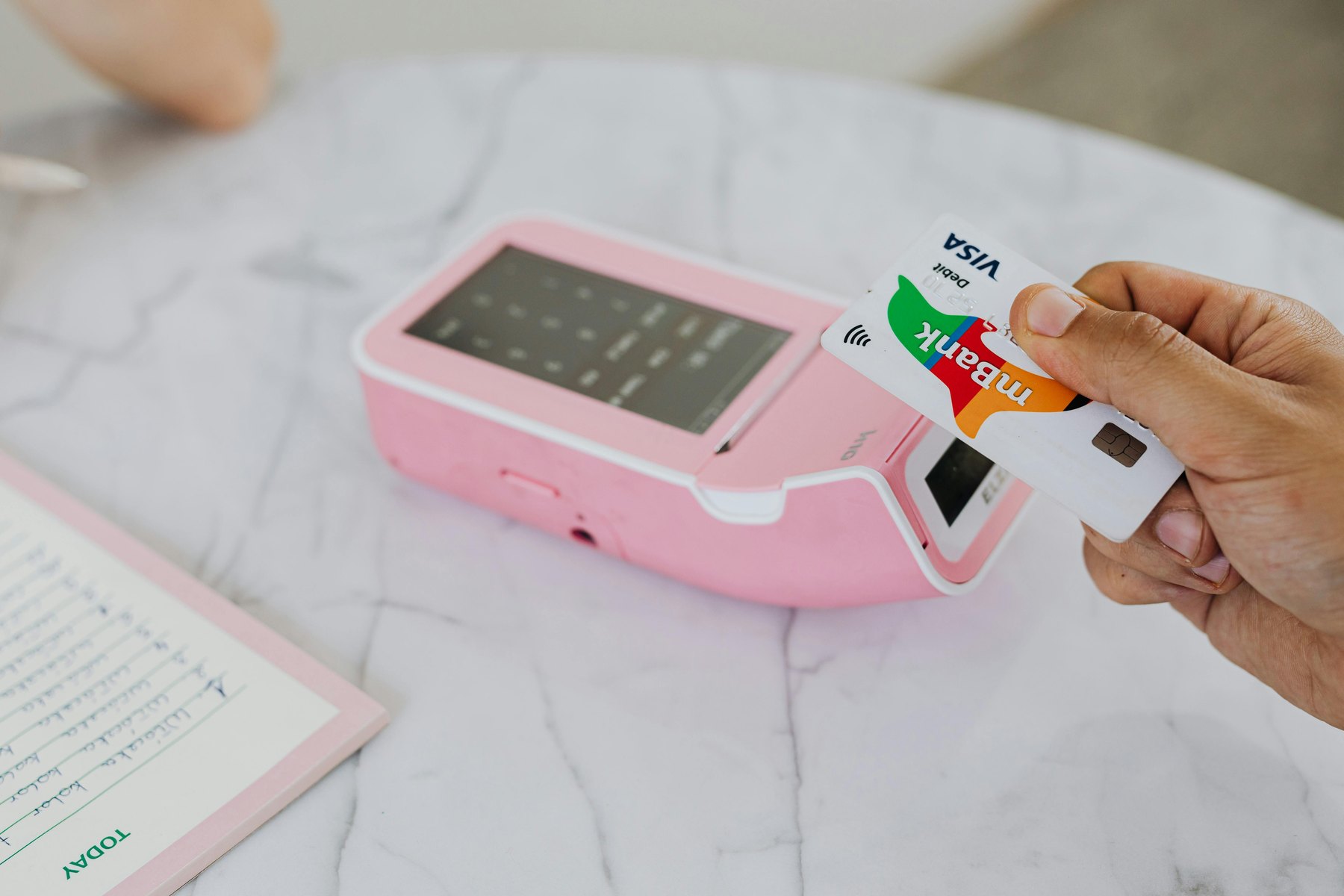
A wallet app does not automatically lower your bills, but it can help you avoid certain costs and friction that lead to expensive mistakes.
1) Fewer card number exposures
Many tap-to-pay wallets use tokenization, meaning the merchant does not receive your actual card number. That can reduce the chance your card details get stolen in a breach or skimmed at a terminal. You still need to monitor statements, but reducing exposure is a practical win.
2) Faster checkout can reduce late fees and missed payments
When paying is easier, you are more likely to complete a bill payment or a required deposit on time. This is not a guarantee, but it can reduce “I forgot” moments. The key is to pair convenience with reminders and a spending plan.
3) Cleaner records for budgeting and disputes
Digital receipts, transaction histories, and merchant details can make it easier to categorize spending and spot errors. If you are disputing a charge, having a clear timeline helps you act quickly.
Digital wallet security features that matter
Security is one of the strongest reasons people switch to a digital wallet, but only if you enable the right settings.
Use device-level protections first
- Screen lock: Use a strong passcode, fingerprint, or face unlock.
- Find My device: Turn on remote lock and wipe features.
- OS updates: Keep your phone updated to reduce vulnerabilities.
Then add wallet-level protections
- Transaction alerts: Turn on push notifications or texts for purchases.
- Two-factor authentication: Especially for wallets that allow transfers.
- Separate PIN for transfers: If available, require a PIN for sending money.
If you lose your phone, act quickly: lock the device, change passwords, and contact your card issuer or bank. For general guidance on avoiding payment scams and handling fraud, the FTC has practical resources at consumer.ftc.gov.
Digital wallet vs. credit card vs. debit card: a practical decision
A digital wallet is not a payment method by itself. It is a wrapper around a payment method. The “best” setup often comes down to what you link inside the wallet.
| What you pay with | Typical best use | Upside | Main risk |
|---|---|---|---|
| Credit card in a digital wallet | Everyday purchases you can pay off monthly | Rewards potential and generally strong dispute tools | Interest costs if you carry a balance |
| Debit card in a digital wallet | Spending from checking when you need strict limits | No interest charges | Overdraft fees and cash-flow strain if fraud drains funds |
| Stored wallet balance | Small transfers and a “fun money” bucket | Can separate spending from your main account | Fees, transfer delays, and different protections than a bank account |
Rule of thumb for linking accounts
- If you pay in full each month, consider linking a credit card for purchases and using the wallet for convenience.
- If you are rebuilding credit or avoiding debt, link a debit card but keep a buffer in checking to reduce overdraft risk.
- If you tend to overspend, avoid storing large balances in the wallet and use it mainly as a pass-through.
Named digital wallet options to compare
Most people end up choosing based on their phone, where they shop, and who they send money to. Here are recognizable options to compare, along with what to look at before you commit.
| Option | Best fit | What to compare | Main drawback |
|---|---|---|---|
| Apple Pay (Apple Wallet) | iPhone users who want fast tap-to-pay | Bank and card compatibility, in-store acceptance, device requirements | Works best inside the Apple ecosystem |
| Google Pay (Google Wallet) | Android users who want tap-to-pay and pass storage | Acceptance, supported banks, transit support, security settings | Features can vary by device and region |
| Samsung Wallet | Samsung phone users who want an integrated wallet | Device compatibility, supported cards, extra features like IDs where available | Limited to certain Samsung devices |
| PayPal | Online shopping and buyer-seller payments | Fees for receiving money, transfer speed, dispute process, currency conversion costs | Fees can add up depending on how you use it |
| Venmo | Splitting bills with friends | Privacy settings, instant transfer fees, funding source options | Social features can expose transactions if settings are not adjusted |
| Cash App | Simple transfers and optional card features | Fees, limits, customer support options, security controls | Scam risk if you send money to strangers |
| Zelle (through your bank) | Fast bank-to-bank transfers to people you trust | Bank support, transfer limits, enrollment steps | Transfers can be difficult to reverse if you are scammed |
A quick checklist for choosing a wallet
- Acceptance: Will you use it at your grocery store, gas station, and favorite online retailers?
- Funding source: Credit card, debit card, bank transfer, or stored balance?
- Fees: Check instant transfer fees, foreign transaction costs, and any inactivity or cash-out fees.
- Support: How do you reach support if your account is locked or a transfer goes wrong?
- Security: Can you require biometric unlock and enable alerts?
Where digital wallets fit in a real budget (with numbers)
The most useful way to use a digital wallet is as a system. Decide what the wallet is for, set limits, and connect it to the right account.
Scenario 1: “Tap-to-pay only” for a steady budget
Monthly take-home pay: $3,800
Goal: Convenience and better tracking without changing spending behavior.
- Rent and utilities (autopay from checking): $1,650
- Groceries and household (credit card in wallet): $500
- Gas and transit (credit card in wallet): $200
- Insurance and phone (autopay): $350
- Debt payments (autopay): $400
- Savings transfer on payday: $300
- Everything else (wallet purchases): $400
Total: $3,800
Decision rule: Use the wallet for categories you already track, and pay the credit card weekly or biweekly so the balance stays close to your plan.
Scenario 2: “Spending bucket” to control impulse buys
Monthly take-home pay: $4,600
Goal: Reduce overspending by limiting what is available for discretionary purchases.
- Fixed bills (checking): $2,400
- Debt payments (checking): $600
- Savings and sinking funds (separate savings): $900
- Wallet spending bucket (stored balance or dedicated debit card): $500
- Buffer (checking): $200
Total: $4,600
Decision rule: When the wallet bucket hits $0, discretionary spending pauses until next month. Keep the wallet bucket small enough that a mistake does not derail rent or debt payments.
Scenario 3: “Travel setup” to reduce friction and manage risk
Trip budget: $2,000 for a 7-day trip
Goal: Make payments easier while limiting exposure if a card is compromised.
- Flights and lodging (credit card, booked in advance): $1,200
- Daily spending (wallet tap-to-pay on credit card): $600
- Cash backup (ATM cash): $150
- Emergency buffer (kept in checking, not in wallet): $50
Total: $2,000
Decision rule: Use the wallet for most in-person purchases, keep one physical card separate as backup, and avoid storing large balances in the wallet app.
Timeline decision rules: when a digital wallet helps most
Digital wallets are mainly a spending tool, but your timeline affects how you set them up and what you connect.
Under 1 year
- Prioritize cash-flow control and avoiding fees.
- Use transaction alerts and a tight wallet spending cap.
- If you are building an emergency fund, keep it in an FDIC-insured bank account, not as a wallet balance. You can learn how deposit insurance works at fdic.gov.
1 to 3 years
- Use the wallet to simplify recurring purchases while you focus on larger goals like paying down high-interest debt or saving for a car.
- Consider using one card for planned categories and keeping discretionary spending in a capped bucket.
3 to 7 years
- Streamline your financial system: fewer cards, clearer categories, and automatic savings.
- Use the wallet’s transaction history to spot “quiet leaks” like subscriptions you no longer use.
7+ years
- Focus on long-term habits: consistent saving, controlled credit use, and strong account security.
- Keep your wallet setup simple so it is easy to manage across device upgrades and life changes.
Common pitfalls and how to avoid them
Overspending because payments feel invisible
- Turn on real-time alerts.
- Set a weekly spending limit for wallet purchases.
- Use a notes field or budgeting app category right after purchase.
Sending money to the wrong person
- Confirm the recipient using a second method (text or call) before sending.
- Start with a small test transfer if it is a new recipient.
- Use person-to-person transfers only with people you trust.
Falling for payment scams
Scammers often pressure you to pay quickly using a wallet transfer, gift cards, or “verification” payments. Slow down and verify. The CFPB has guidance on spotting and responding to fraud at consumerfinance.gov.
A step-by-step setup that keeps things simple
- Pick your primary use: tap-to-pay, online checkout, or sending money.
- Choose the funding source: credit card (if you pay in full) or debit (if you need strict limits).
- Enable security: biometrics, alerts, and two-factor authentication.
- Set a spending rule: for example, “wallet purchases are limited to $125 per week.”
- Review weekly: scan transactions for duplicates, subscriptions, and anything you do not recognize.
How digital wallets can support credit and borrowing decisions
Digital wallets do not directly build credit, but they can support better credit habits:
- On-time payments: Easier checkout and stored billing details can reduce missed payments when paired with reminders.
- Lower utilization swings: If you pay your credit card more frequently, your balance may stay more stable.
- Cleaner records: Better tracking can help you stick to a payoff plan and avoid new high-interest debt.
If you are monitoring your credit as you work toward goals like a car loan or mortgage, check your credit reports regularly. You can get free copies at AnnualCreditReport.com.
Bottom line: when a digital wallet is a smart move
A digital wallet is most helpful when it does three things: reduces friction for purchases you already plan to make, improves your visibility into spending, and adds a layer of protection through tokenization and device security. The smartest setup is usually simple: link one primary card, turn on alerts, avoid storing large balances, and use clear spending rules so convenience does not turn into overspending.


