

Save More Money Reminders

Save more money reminders work best when they show up at the exact moment you are about to spend, borrow, or forget a bill. The goal is not willpower. It is building a system that nudges you toward better choices automatically, even on busy weeks.
Contents
38 sections
-
Why save more money reminders beat motivation
-
A simple rule: reminders should trigger a single action
-
Save more money reminders you can set today
-
Payday reminders (best for automation)
-
Weekly reminders (best for spending control)
-
Monthly reminders (best for bills and subscriptions)
-
Purchase-moment reminders (best for impulse spending)
-
Borrowing reminders (best for avoiding interest and fees)
-
Build a reminder system that matches your cash flow
-
Step 1: Map your money dates
-
Step 2: Choose a "money day" each week
-
Step 3: Use two types of reminders
-
Real-number examples: what saving reminders look like in a month
-
Scenario A: $2,800 take-home pay, starting from scratch
-
Scenario B: $4,500 take-home pay, paying down credit card debt
-
Scenario C: $6,200 take-home pay, saving for a home down payment
-
Decision rules by timeline: where savings should sit
-
Under 1 year
-
1 to 3 years
-
3 to 7 years
-
7+ years
-
Reminder checklists: spending, bills, and debt
-
Fast spending checklist (60 seconds before you buy)
-
Bills checklist (10 minutes weekly)
-
Debt payoff checklist (monthly)
-
Tools and apps that can deliver reminders (named examples)
-
How reminders help you avoid common borrowing traps
-
Reminder: pay attention to APR and total cost, not just the monthly payment
-
Reminder: protect your credit before you shop for borrowing
-
Reminder: avoid overdraft and late fees first
-
Make reminders frictionless: templates you can copy
-
How to choose the right savings account for your reminders
-
Troubleshooting: when reminders are not working
-
If you ignore alerts
-
If you save but then pull it back out
-
If debt keeps growing
-
Helpful resources for protecting your money
-
Quick start: your first 7 reminders
This guide gives you practical reminders you can set on your phone, calendar, and bank apps, plus decision rules and real-number examples. You will also see how reminders connect to borrowing choices like credit cards, buy now pay later plans, and personal loans so you can reduce interest costs over time.
Why save more money reminders beat motivation
Motivation fades. Reminders can be consistent. The best reminders are:
- Specific – tied to a bill, a paycheck date, or a spending category.
- Timed – sent before you spend, not after.
- Actionable – they tell you exactly what to do in under 60 seconds.
- Small – one step, not a full budget overhaul.
A simple rule: reminders should trigger a single action
Examples:
- “Transfer $25 to savings now.”
- “Pay credit card to $0 before interest hits.”
- “Check cart total and remove 1 item.”
Save more money reminders you can set today
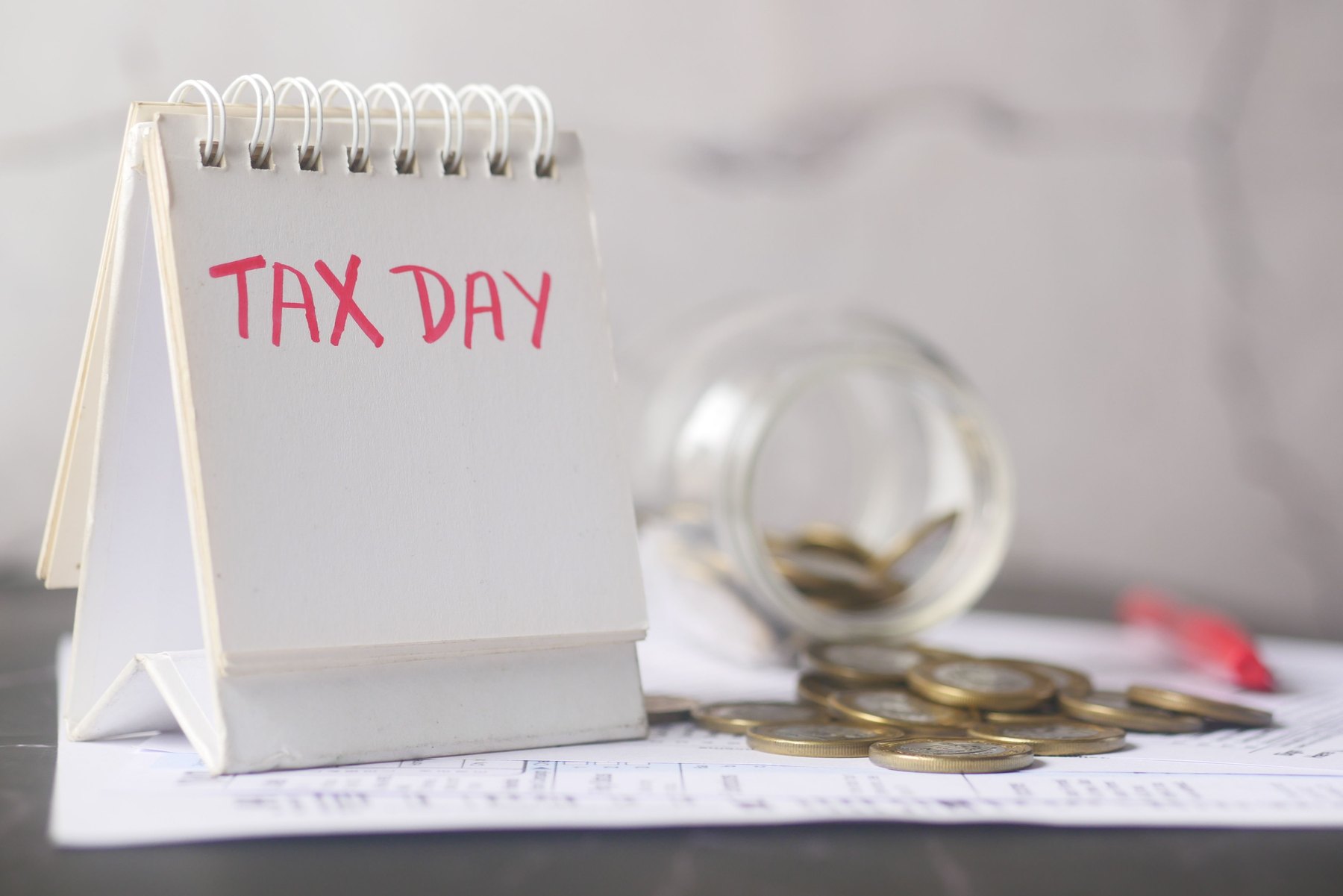
Use this list as a menu. Pick 5 to start, then add more once they feel automatic.
Payday reminders (best for automation)
- Payday + 5 minutes: “Move $X to savings.”
- Payday + 10 minutes: “Pay minimums on all cards and loans.”
- Payday + 15 minutes: “Check upcoming bills for the next 14 days.”
- Payday + 20 minutes: “Top up sinking funds (car repairs, gifts, annual fees).”
Weekly reminders (best for spending control)
- Sunday evening: “Plan meals and grocery list.”
- Midweek: “No-spend day. Bring lunch. Skip delivery.”
- Friday morning: “Check weekend budget before plans.”
Monthly reminders (best for bills and subscriptions)
- 1st of the month: “Review subscriptions and cancel 1.”
- 3 days before rent or mortgage: “Confirm account balance and transfer if needed.”
- Statement close date: “Pay card down before statement posts.”
Purchase-moment reminders (best for impulse spending)
- When you open a shopping app: “Wait 24 hours before buying non-essentials.”
- At checkout: “Compare total to weekly fun budget.”
- For big purchases: “Get 2 price checks and sleep on it.”
Borrowing reminders (best for avoiding interest and fees)
- Before using a credit card: “Can I pay this off by next due date?”
- Before BNPL: “Will this overlap with other payments next month?”
- Before a personal loan: “Compare APR, origination fees, total cost, and term.”
Build a reminder system that matches your cash flow
Reminders work better when they match how you get paid and how bills hit your account.
Step 1: Map your money dates
Write down:
- Paydays
- Rent or mortgage date
- Minimum payment due dates for credit cards and loans
- Utilities, insurance, phone, and subscriptions
Step 2: Choose a “money day” each week
Pick one day (like Sunday) to do a 10-minute check:
- Look at balances
- Scan transactions for surprises
- Adjust the week’s spending limit
Step 3: Use two types of reminders
- Calendar reminders for bills and planned transfers.
- App alerts for low balance, large transactions, and due dates.
Real-number examples: what saving reminders look like in a month
Below are three sample allocations you can copy. Adjust the numbers to your income and fixed costs. The point is to make reminders concrete: exact dollar amounts, exact dates.
Scenario A: $2,800 take-home pay, starting from scratch
Monthly allocation (adds up to $2,800):
- Needs (rent, utilities, transport, minimums): $1,900
- Food and household: $450
- Fun and misc: $250
- Savings: $200
Reminders to set:
- Payday: transfer $100 to savings
- Second payday: transfer $100 to savings
- Every Wednesday: “No-spend day”
Scenario B: $4,500 take-home pay, paying down credit card debt
Monthly allocation (adds up to $4,500):
- Needs: $2,600
- Food and household: $600
- Fun and misc: $350
- Emergency fund: $250
- Extra debt payments: $700
Reminders to set:
- 2 days after statement closes: “Pay card down by $350”
- Every payday: “Send $350 extra to card”
- Monthly: “Check APR and fees, consider balance transfer math”
Scenario C: $6,200 take-home pay, saving for a home down payment
Monthly allocation (adds up to $6,200):
- Needs: $3,200
- Food and household: $800
- Fun and misc: $500
- Retirement/investing: $700
- Down payment savings: $1,000
Reminders to set:
- Payday: “Transfer $500 to down payment account”
- Second payday: “Transfer $500 to down payment account”
- Monthly: “Review big categories and cut 1 recurring cost”
Decision rules by timeline: where savings should sit
Your reminder system should match your timeline. A good reminder is “move money to the right bucket,” not “save more.”
Under 1 year
- Best use: emergency fund, upcoming bills, planned purchases.
- Common buckets: checking, high-yield savings account, money market deposit account.
- Reminder: “Keep 1 month of expenses in checking, move the rest to savings weekly.”
1 to 3 years
- Best use: car replacement fund, moving fund, partial down payment.
- Reminder: “Monthly: compare APY and fees, confirm FDIC or NCUA coverage.”
3 to 7 years
- Best use: larger goals with flexibility (home upgrade, business runway).
- Reminder: “Quarterly: check whether goal date changed and adjust risk level.”
7+ years
- Best use: retirement and long-term investing goals.
- Reminder: “Increase contributions by 1% when income rises.”
Reminder checklists: spending, bills, and debt
Fast spending checklist (60 seconds before you buy)
- Is this in my plan for this week?
- Will I still want it in 7 days?
- Is there a cheaper substitute?
- Can I pay cash today without shorting bills?
Bills checklist (10 minutes weekly)
- Any bills due in the next 7 days?
- Any subscriptions I forgot about?
- Any fees charged (late fee, overdraft, interest)?
- Any unusual transactions to investigate?
Debt payoff checklist (monthly)
- List each balance, APR, and minimum payment.
- Pick a payoff method: highest APR first or smallest balance first.
- Set autopay for minimums to reduce late fees.
- Schedule an extra payment right after payday.
Tools and apps that can deliver reminders (named examples)
You do not need a new app to save more. But the right tool can make reminders easier. Below are recognizable options to compare. Availability and features can change, so verify current pricing, alerts, and compatibility.
| Option | Best fit | What to compare | Main drawback |
|---|---|---|---|
| Mint (Intuit) | Budget tracking and bill reminders in one place | Account connections, alert types, categories | Features may change over time |
| YNAB (You Need A Budget) | Hands-on budgeting with strong habit building | Subscription cost, learning curve, goal features | Paid plan and time commitment |
| Rocket Money | Subscription tracking and spending visibility | Cancellation tools, alerts, plan cost | Some features may require a paid tier |
| Monarch Money | Household budgeting and shared visibility | Collaboration, rules, integrations | Subscription cost |
| Google Calendar or Apple Calendar | Simple bill due reminders without linking accounts | Recurring events, notification timing | No automatic transaction tracking |
| Your bank app (example: Chase, Bank of America, Wells Fargo) | Low-balance and transaction alerts | Alert customization, transfer speed, fees | Limited budgeting features |
How reminders help you avoid common borrowing traps
Many “saving problems” are really “timing problems.” A bill hits before payday, so you use a credit card. A surprise expense shows up, so you consider a high-cost option. Reminders can reduce these moments.
Reminder: pay attention to APR and total cost, not just the monthly payment
When comparing credit cards, BNPL plans, or personal loans, set a reminder to check:
- APR and whether it is variable
- Fees (origination, late, balance transfer, cash advance)
- Repayment term and total interest paid over time
- Due dates and autopay options
Reminder: protect your credit before you shop for borrowing
Set a quarterly reminder to review your credit reports for errors. You can get free weekly reports (availability can change) at AnnualCreditReport.com. Catching mistakes early can help you avoid delays and confusion when you apply for credit.
Reminder: avoid overdraft and late fees first
Fees can quietly erase progress. A practical reminder is: “If checking balance is under $X, pause non-essential spending.” Also consider setting low-balance alerts in your bank app.
| Risk | What it costs | Reminder to set | Quick fix |
|---|---|---|---|
| Late payment | Late fee, possible rate increases, credit impact | “Pay minimums 3 days before due date” | Autopay minimum, then pay extra after payday |
| Overdraft | Overdraft fee or declined transactions | “Low balance alert at $100 to $300” | Keep a small buffer and move bills to a predictable day |
| Carrying credit card balance | Interest charges that compound | “Pay before statement close date” | Make a mid-cycle payment |
| Subscription creep | Recurring charges you forget | “Cancel 1 subscription on the 1st” | Move subscriptions to one card and review monthly |
Make reminders frictionless: templates you can copy
Copy and paste these into your calendar.
- Payday: Transfer $___ to Emergency Fund
- Payday: Pay $___ extra toward highest-APR debt
- Weekly (Sun): 10-minute money check
- Monthly (1st): Cancel or downgrade one subscription
- Monthly (statement close date): Pay credit card down to $___
- Quarterly: Pull credit reports and dispute errors if needed
How to choose the right savings account for your reminders
If your reminder is “transfer to savings,” the account matters. A few practical comparison points:
- FDIC or NCUA insurance: Confirm coverage and limits. You can learn more at FDIC.gov.
- APY: Check the current APY and whether it changes frequently.
- Fees: Monthly maintenance fees, transfer fees, or minimum balance rules.
- Transfer speed: How fast money moves between checking and savings.
Troubleshooting: when reminders are not working
If you ignore alerts
- Reduce to one reminder per category (saving, bills, debt).
- Change the time to when you can act (after lunch, not during commute).
- Make the action smaller (transfer $10, not $100).
If you save but then pull it back out
- Create two savings buckets: emergency and goals.
- Set a rule: emergencies are job loss, medical, car repair, or essential home repair.
- Use a 24-hour pause reminder before withdrawing for non-essentials.
If debt keeps growing
- Set a weekly reminder to track the top 3 categories driving overspending.
- Move due dates closer to payday when possible.
- Review credit card terms and fees and consider whether a lower-cost option exists for your situation.
Helpful resources for protecting your money
- Budgeting and money tools from the CFPB: https://www.consumerfinance.gov/consumer-tools/budgeting/
- Avoiding scams and protecting your identity: https://consumer.ftc.gov/
Quick start: your first 7 reminders
If you want a simple setup, start here:
- Payday: transfer $25 to $100 to savings
- Payday: pay minimums on all debts
- Weekly: 10-minute money check
- Weekly: one no-spend day
- 3 days before rent or mortgage: confirm funds
- Statement close date: pay card down
- Monthly: cancel or downgrade one subscription
After two pay cycles, review what you actually did and adjust the dollar amounts. The best reminder system is the one you follow consistently.


