

What Is A Smart Home?

A smart home uses connected devices and sensors to automate tasks like lighting, heating, security, and energy use from your phone, voice assistant, or set schedules.
Contents
33 sections
-
How a smart home works
-
Common smart home ecosystems (and why they matter)
-
Smart home basics: devices that make the biggest difference
-
Energy and comfort
-
Safety and damage prevention
-
Security and access
-
Practical "first week" automations
-
Smart home costs: what to expect (with real numbers)
-
Three sample budgets that add up
-
What is a smart home worth financially?
-
Where savings may come from
-
Where costs can creep up
-
Paying for smart home upgrades: cash, credit, or financing
-
Decision rules by timeline
-
Common ways people pay
-
Financing comparison table (what to compare)
-
What this looks like with real numbers
-
Privacy and cybersecurity checklist for smart homes
-
Before you buy
-
After you install
-
Shopping checklist: how to choose smart home devices
-
Smart home mistakes to avoid
-
Does a smart home affect home value or insurance?
-
Getting started: a simple smart home plan
-
Step 1: Pick one goal
-
Step 2: Set a budget and a monthly cap
-
Step 3: Buy one device, then expand
-
Step 4: Secure it
-
Frequently asked questions
-
Do I need a hub for a smart home?
-
Is a smart home expensive to maintain?
-
What should I buy first?
-
Can smart home upgrades be financed?
For many households, the appeal is simple: more convenience, better visibility into what is happening at home, and the chance to reduce wasted energy. But smart home upgrades also come with real costs, ongoing subscriptions, and privacy tradeoffs. This guide breaks down how smart homes work, what to buy first, what it can cost with real numbers, and how to think about paying for upgrades without stretching your budget.
How a smart home works
A smart home is built from a few basic building blocks:
- Devices – smart thermostats, locks, cameras, plugs, lights, garage controllers, leak sensors, and appliances.
- Sensors – motion, door and window contact, temperature, humidity, smoke and CO, water leak, and presence sensors.
- A hub or controller – sometimes a dedicated hub, sometimes an app, sometimes a voice assistant that ties devices together.
- Connectivity – Wi-Fi, Bluetooth, Zigbee, Z-Wave, Thread, or Matter (a newer standard meant to improve compatibility).
- Automations – rules like “turn off lights at 11 pm” or “if water leak detected, send an alert.”
Common smart home ecosystems (and why they matter)
Most people end up choosing an ecosystem, then buying devices that work well within it. Popular ecosystems include Apple Home, Google Home, Amazon Alexa, and Samsung SmartThings. Many devices also support Matter, which can reduce compatibility headaches, but it does not guarantee every feature works the same everywhere.
Before you buy, check:
- Whether devices work locally (in your home) or require cloud access.
- Whether a subscription is needed for video storage, advanced alerts, or professional monitoring.
- Whether the device needs a hub or works directly over Wi-Fi.
Smart home basics: devices that make the biggest difference
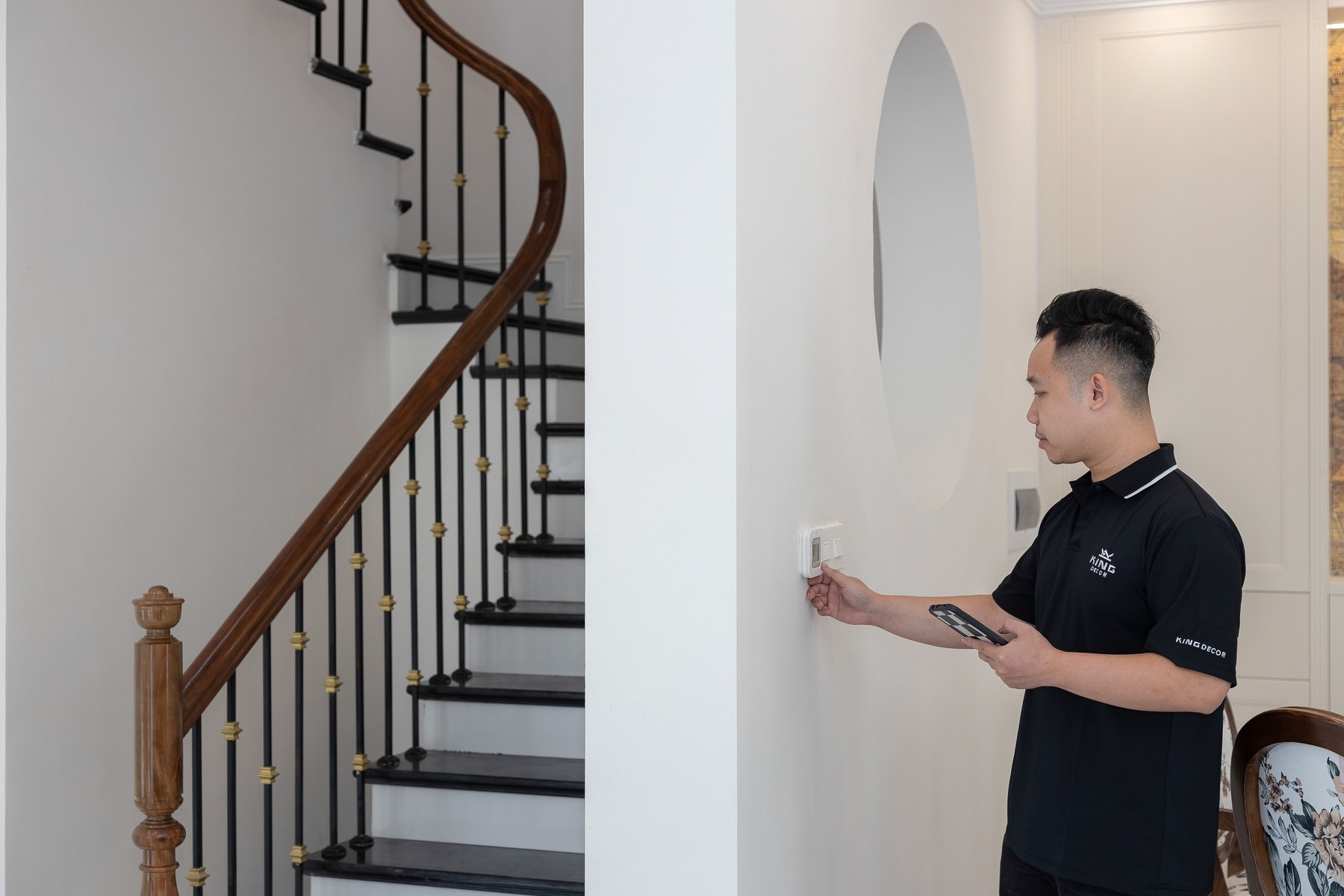
If you are starting from zero, focus on upgrades that improve safety, reduce waste, or solve a daily annoyance. Here are common “high impact” categories.
Energy and comfort
- Smart thermostat – schedules heating and cooling, adapts to routines, and can reduce wasted HVAC runtime.
- Smart plugs and switches – cut standby power and automate lamps, fans, and small appliances.
- Smart lighting – dimming, occupancy-based control, and schedules.
Safety and damage prevention
- Water leak sensors – early alerts near water heaters, sinks, dishwashers, and washing machines.
- Smart smoke and CO alarms – phone alerts and self-testing features (model dependent).
- Smart garage controller – confirm the door is closed and close it remotely.
Security and access
- Video doorbell – see who is at the door and get motion alerts.
- Outdoor cameras – monitor entry points and packages.
- Smart locks – temporary codes for guests or service providers and auto-lock rules.
Practical “first week” automations
- Turn porch lights on at sunset and off at bedtime.
- Set thermostat setbacks when everyone is away.
- Send an alert if a door opens during school hours.
- Notify you if a leak sensor detects water.
Smart home costs: what to expect (with real numbers)
Smart home spending ranges from a small starter kit to a multi-thousand-dollar setup. Costs depend on whether you choose Wi-Fi devices, a hub-based system, professional installation, and whether you pay monthly subscriptions.
| Category | Typical one-time cost range | Possible ongoing cost | Notes |
|---|---|---|---|
| Smart thermostat | $100 to $300+ | $0 | May need professional install if wiring is complex. |
| Smart plugs or switches | $10 to $60 each | $0 | Switches may require electrical comfort or an electrician. |
| Smart lighting | $10 to $60 per bulb | $0 | Bulbs are easiest; switches are better for whole rooms. |
| Video doorbell | $80 to $250+ | $0 to $10+ per month | Subscriptions often add cloud storage and person detection. |
| Security cameras | $30 to $250+ each | $0 to $20+ per month | Local storage can reduce monthly fees. |
| Smart lock | $100 to $300+ | $0 to $10+ per month | Some features may require a bridge or subscription. |
| Leak sensors | $20 to $80 each | $0 | Consider placing near water heater and under sinks. |
| Hub (if needed) | $50 to $150+ | $0 | Useful for Zigbee, Z-Wave, Thread, and local control. |
Subscription reality check: Many smart home systems work without monthly fees, but video storage, advanced alerts, and professional monitoring often cost extra. Before buying, read the “what’s included” section and estimate your 12-month cost, not just the device price.
Three sample budgets that add up
Here are realistic starter plans. Prices vary by brand and sales, so treat these as planning estimates.
- Starter safety plan (about $220): 1 video doorbell ($140) + 2 leak sensors ($60) + 2 smart plugs ($20) = $220.
- Energy and comfort plan (about $360): smart thermostat ($200) + 6 smart bulbs ($120) + 4 smart plugs ($40) = $360.
- Security focused plan (about $650): video doorbell ($160) + 2 outdoor cameras ($300) + smart lock ($190) = $650.
What is a smart home worth financially?
A smart home can be “worth it” if it helps you avoid costly problems (like water damage), reduces wasted energy, or replaces services you already pay for. It can also be worth it simply for convenience, but convenience is harder to measure.
Where savings may come from
- Energy waste reduction – better HVAC schedules, fewer lights left on, and less standby power.
- Damage prevention – leak detection can help you respond faster to small problems before they become major repairs.
- Insurance discounts – some insurers offer discounts for monitored alarms or certain safety devices. Ask your insurer what qualifies and what documentation they need.
Where costs can creep up
- Subscriptions – multiple camera plans can add up.
- Replacement cycles – batteries, device upgrades, and discontinued product support.
- Wi-Fi upgrades – more devices may push you toward a mesh router system.
| Question | If “yes” | If “no” | What to do next |
|---|---|---|---|
| Do you already pay for a security service? | Smart devices might replace or reduce some services. | Start small to avoid adding new monthly bills. | List current monthly costs and compare to new subscriptions. |
| Is your home prone to leaks or freezing? | Leak sensors and shutoff devices may be high value. | Prioritize energy and convenience upgrades. | Place sensors near water heater, sinks, washer, and dishwasher. |
| Do you forget lights or HVAC settings? | Automation can reduce waste. | Manual habits may be enough. | Try a thermostat schedule and occupancy rules first. |
| Do you need remote access for guests or service providers? | Smart locks and temporary codes can help. | A standard lock may be fine. | Consider a keypad lock and set code expiration rules. |
Paying for smart home upgrades: cash, credit, or financing
Smart home projects are often “nice to have,” so it helps to pick a payment method that does not create long-term strain. A good approach is to match how you pay to the size of the project and how long you expect the devices to last.
Decision rules by timeline
- Under 1 year: If you are buying a few devices under a few hundred dollars, saving up and paying cash often keeps things simple. If you use a credit card for rewards, plan a payoff date before interest would apply.
- 1 to 3 years: For a larger bundle (for example, several cameras plus a lock plus a router), consider whether you can pay it off quickly. Compare any promotional financing to the total cost and what happens if you miss the promo terms.
- 3 to 7 years: Be cautious financing tech for many years. Devices and standards change, and you may be paying after the gear is outdated. If you finance, aim for a shorter payoff period than the expected useful life.
- 7+ years: Long timelines fit structural home improvements more than electronics. If the project is part of a remodel (wiring, panels, built-in systems), compare options carefully and consider how it affects overall home maintenance and resale.
Common ways people pay
- Cash savings – best for small purchases and avoiding interest.
- Credit card – can be convenient, but compare APR and fees and have a payoff plan.
- Retailer promotional financing – may offer 0% for a period, but read the terms and confirm what happens if the balance is not paid by the deadline.
- Personal loan – can spread costs with fixed payments; compare APR, origination fees, and term length.
- Home equity financing – sometimes used for larger home projects; it can be lower rate than unsecured credit, but it puts your home at risk if you cannot repay.
Financing comparison table (what to compare)
| Option | Best fit | What to compare | Main drawback |
|---|---|---|---|
| Cash | Small to medium upgrades | Opportunity cost, emergency fund needs | May delay your project while you save |
| Credit card | Short payoff window | APR, fees, promo period terms | High interest if you carry a balance |
| Retail promo financing | Planned payoff within promo period | Promo length, deferred interest rules, late fees | Costly if you miss the promo payoff deadline |
| Personal loan | Bundled projects with fixed payoff plan | APR, origination fee, term length, total interest | Interest costs and possible fees |
| Home equity loan or HELOC | Large projects tied to the home | APR, closing costs, variable vs fixed rate | Your home is collateral |
What this looks like with real numbers
Imagine you want a $1,200 smart home package (thermostat, doorbell, 2 cameras, leak sensors, and a hub). Here are three ways to plan it without guessing:
- Pay cash over 4 months: Save $300 per month for 4 months, then buy during a sale. Total paid: $1,200.
- Split approach: Buy $400 of leak sensors, plugs, and lighting now with cash, then save $200 per month for 4 months to buy the remaining $800. Total paid: $1,200.
- Fixed payment plan: If you consider a personal loan, compare offers by total repayment (APR plus fees) and choose a term that fits your budget. Use a loan calculator and confirm the total interest cost before deciding.
Privacy and cybersecurity checklist for smart homes
Smart devices can collect video, audio, location, and usage patterns. You can reduce risk with a few practical steps.
Before you buy
- Check whether the device stores data locally or in the cloud.
- Review what features require a subscription and what data is collected.
- Look for clear support timelines and security update policies.
After you install
- Use strong, unique passwords and enable multi-factor authentication where available.
- Keep firmware and apps updated.
- Consider a separate Wi-Fi network for smart devices if your router supports it.
- Limit camera placement in private areas and set clear household rules for indoor cameras.
For more on protecting yourself from scams and unsafe practices, you can review consumer guidance from the FTC and general consumer financial information from the CFPB.
Shopping checklist: how to choose smart home devices
Use this checklist to avoid buying devices that do not work well together or cost more than expected.
| What to check | Why it matters | Quick test |
|---|---|---|
| Compatibility (ecosystem and standards) | Prevents “two apps for everything” frustration | Confirm it supports your platform and Matter if important |
| Subscription requirements | Changes the true yearly cost | Add device price + 12 months of fees |
| Local control and offline behavior | Determines what works during internet outages | Read FAQs: “Does it work without internet?” |
| Return policy and warranty | Smart devices can be finicky in real homes | Buy one device first and test for a week |
| Power and battery needs | Battery replacements add maintenance | Check battery type and estimated life |
| Installation complexity | Some devices require wiring or tools | Watch install steps and confirm your setup matches |
Smart home mistakes to avoid
- Buying too much at once: Start with one room or one goal (energy, security, or safety), then expand.
- Ignoring Wi-Fi coverage: Cameras and doorbells often fail because of weak signal. Fix coverage before adding devices.
- Forgetting ongoing costs: Multiple subscriptions can quietly become a new monthly bill.
- Not planning for guests and family: Decide who has access, how codes are shared, and how to remove access.
- Skipping updates: Outdated firmware can create security risks.
Does a smart home affect home value or insurance?
Some buyers like smart features, but value depends on your market and how well the system is installed and maintained. A few tips:
- Prefer transferable setups: If you plan to sell, document what stays with the home and provide reset instructions.
- Keep it simple: A handful of reliable devices can be more appealing than a complicated system.
- Ask your insurer: Discounts vary. Get the details in writing and confirm whether professional monitoring is required.
If you are evaluating insurance or banking impacts, it can help to keep your broader finances in good shape. Checking your credit reports can also be part of that process. You can access free weekly credit reports at AnnualCreditReport.com.
Getting started: a simple smart home plan
Step 1: Pick one goal
- Energy: thermostat + a few plugs or switches
- Safety: leak sensors + smoke and CO upgrades
- Security: doorbell + one camera covering a main entry
Step 2: Set a budget and a monthly cap
Example rule: keep smart home subscriptions under 1% of monthly take-home pay, and keep device purchases within a set “home upgrades” category. If you do not have that category, start with $25 to $100 per month depending on your cash flow and other priorities.
Step 3: Buy one device, then expand
Test reliability, app experience, and notifications. If it works well for your household, add the next device that supports the same ecosystem.
Step 4: Secure it
Update firmware, enable multi-factor authentication, and review privacy settings. If you want a deeper overview of deposit and account protections while you are organizing household finances, the FDIC has consumer resources on banking and deposit insurance.
Frequently asked questions
Do I need a hub for a smart home?
Not always. Many devices work over Wi-Fi without a hub. A hub can improve reliability and battery life for sensors that use Zigbee, Z-Wave, or Thread, and it can help with local control.
Is a smart home expensive to maintain?
It can be low maintenance if you avoid subscriptions and choose devices with long battery life. Costs tend to rise when you add multiple cameras with cloud storage plans or when you need Wi-Fi upgrades.
What should I buy first?
Many households start with a smart thermostat (energy and comfort), leak sensors (damage prevention), or a video doorbell (security and convenience). The best first device is the one that solves your biggest daily problem and fits your budget.
Can smart home upgrades be financed?
Yes, some people use credit cards, retailer financing, personal loans, or home equity for larger projects. Compare APR, fees, repayment terms, and the risk of financing devices that may be replaced in a few years.
Bottom line: a smart home is not one product. It is a system of connected devices that can improve comfort, safety, and control. Start with a clear goal, estimate your true yearly cost including subscriptions, and choose a payment plan that keeps your overall budget stable.


